Articles
Redirect From Spotify To Podeo
Below are general guidelines on how to redirect your podcast from Spotify to Podeo:
- Log in to your Spotify account.
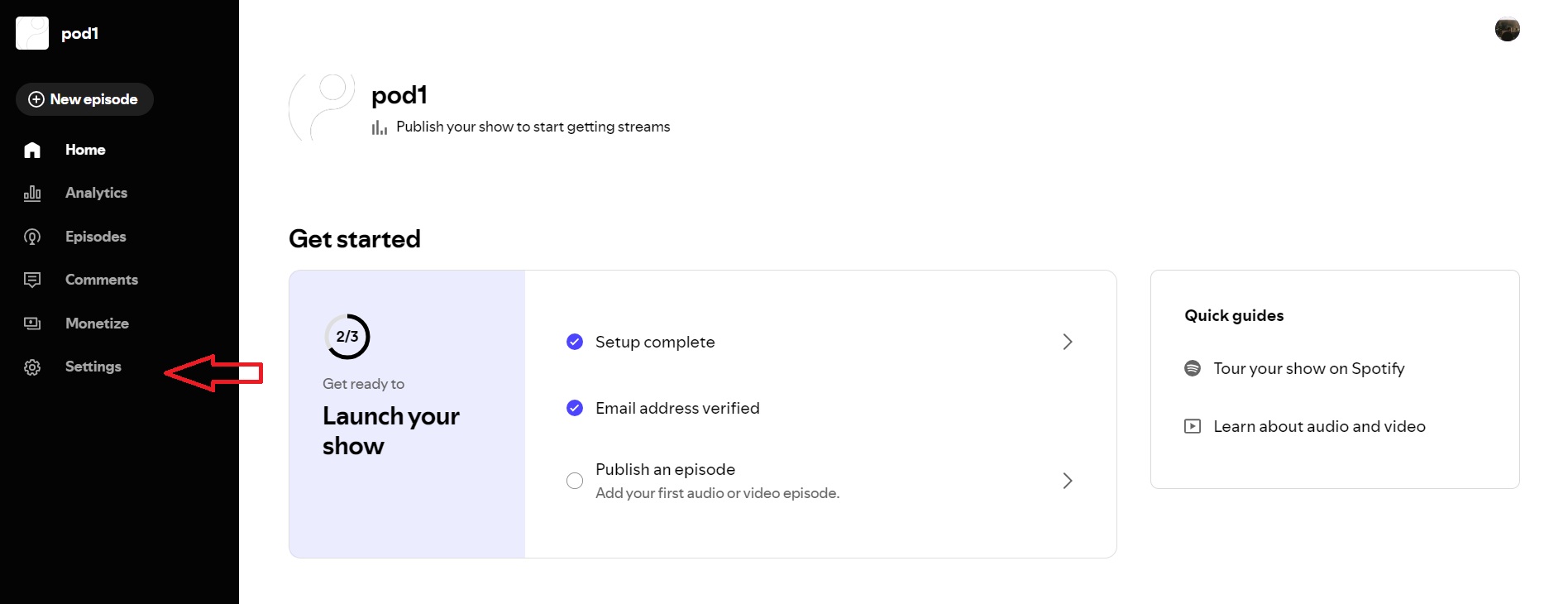
- Click on "Settings" on the left side of your screen.
- Click on "Availability" and copy your Spotify RSS Feed.
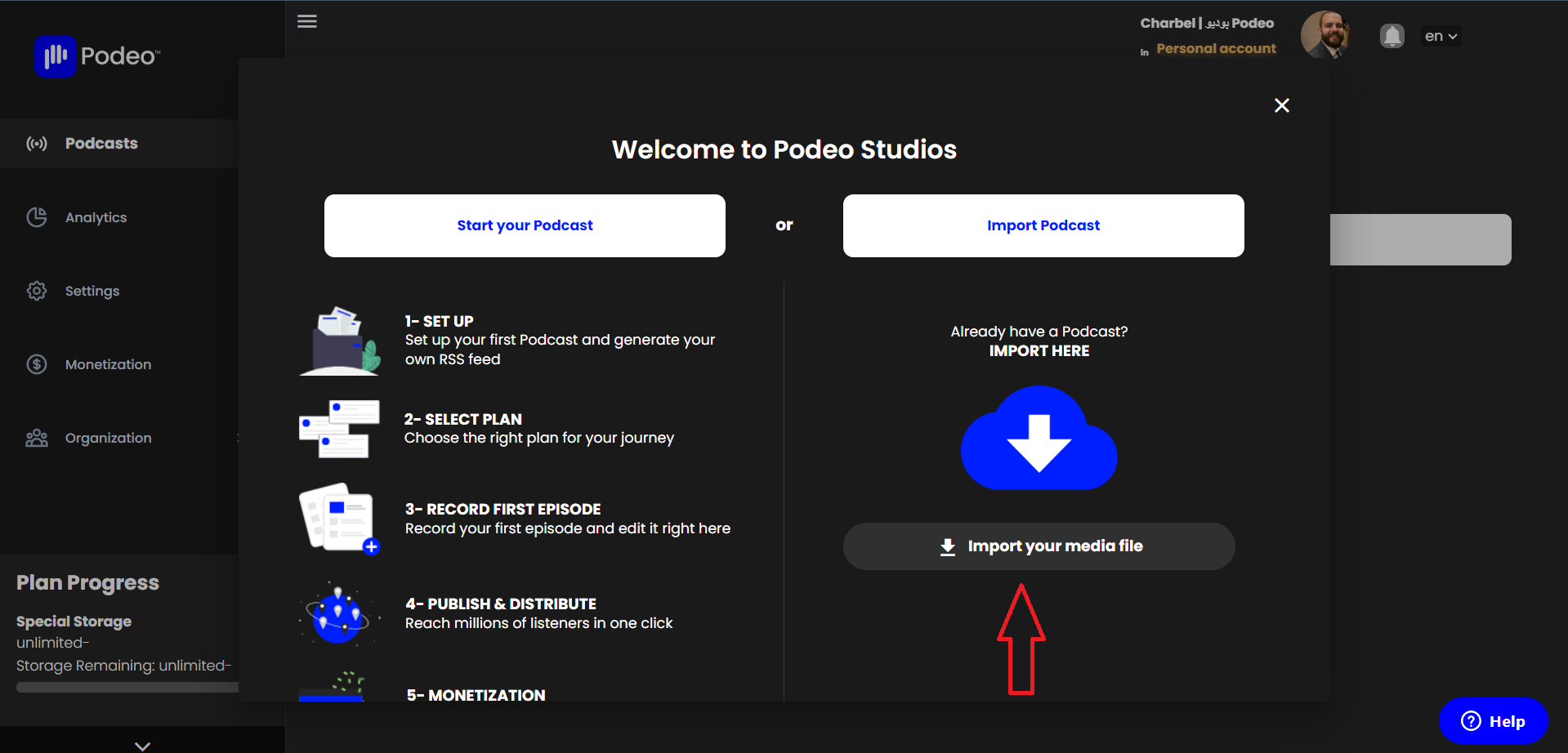
- Access your Podeo account, click on "Import your media file", then paste your Spotify RSS Feed.
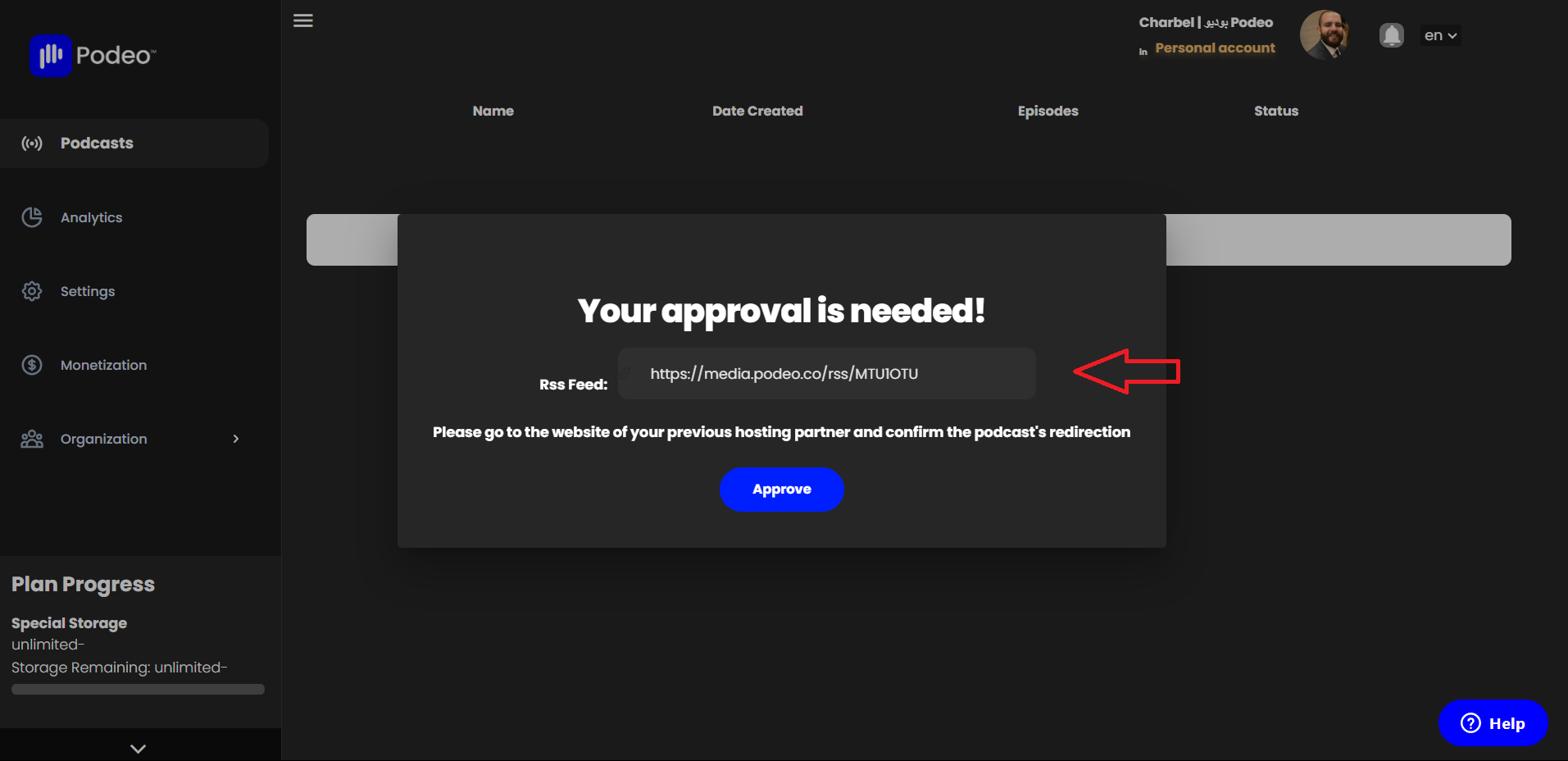
- Copy your new Podeo RSS Feed.
- Go back to your Spotify account, click on "Settings" and scroll down untill you reach the "Redirect Your Podcast" section.
- Under "Redirect URL" paste your Podeo RSS.
- After pasting your Podeo RSS, click twice on "Redirect"
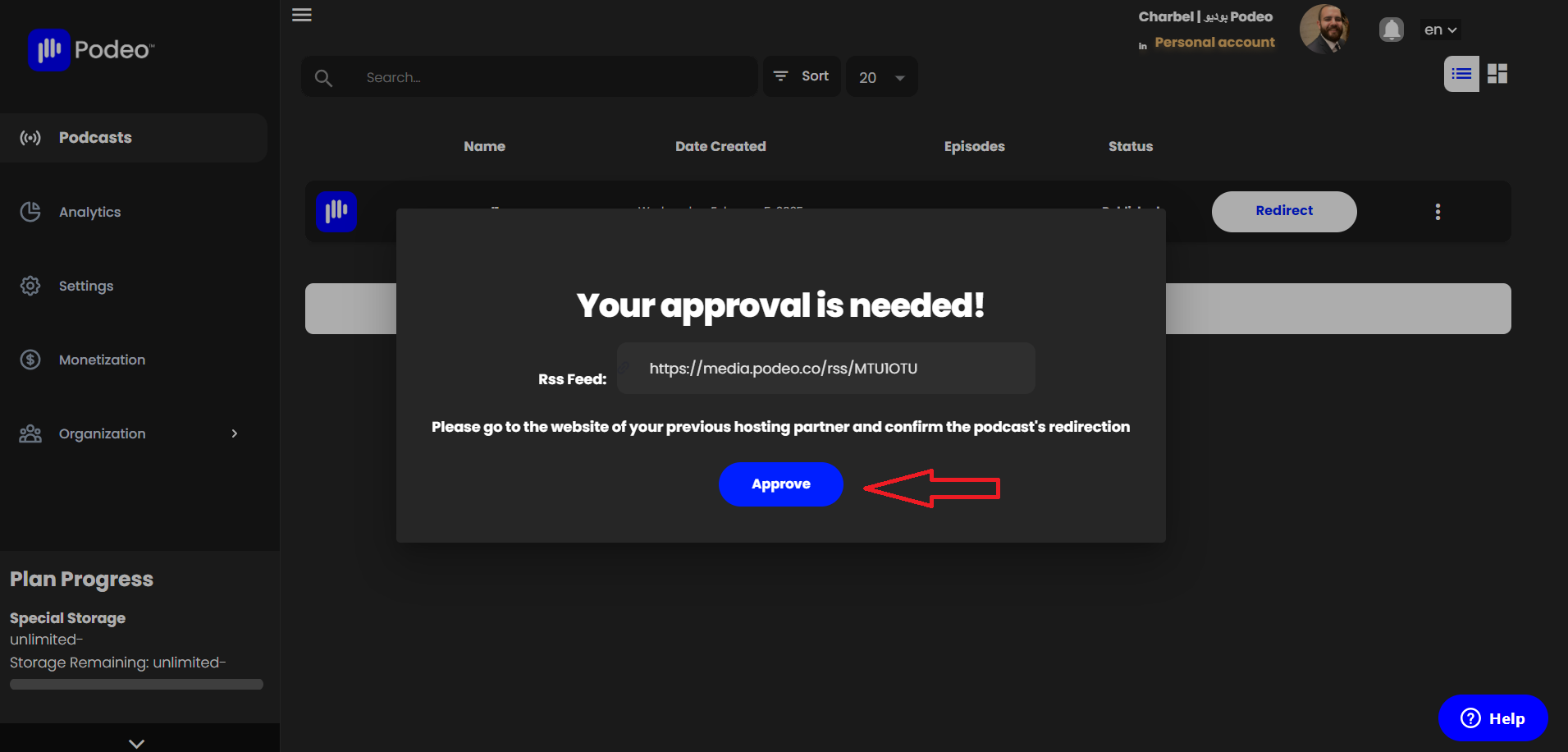
- To finalize the redirection process, go back to your Podeo account and click "Approve".



Was this article helpful?
No votes yet