FAQ
How Do I Add Users To My Organization?
Once you have finished setting up your organization profile, it's time to start adding users.
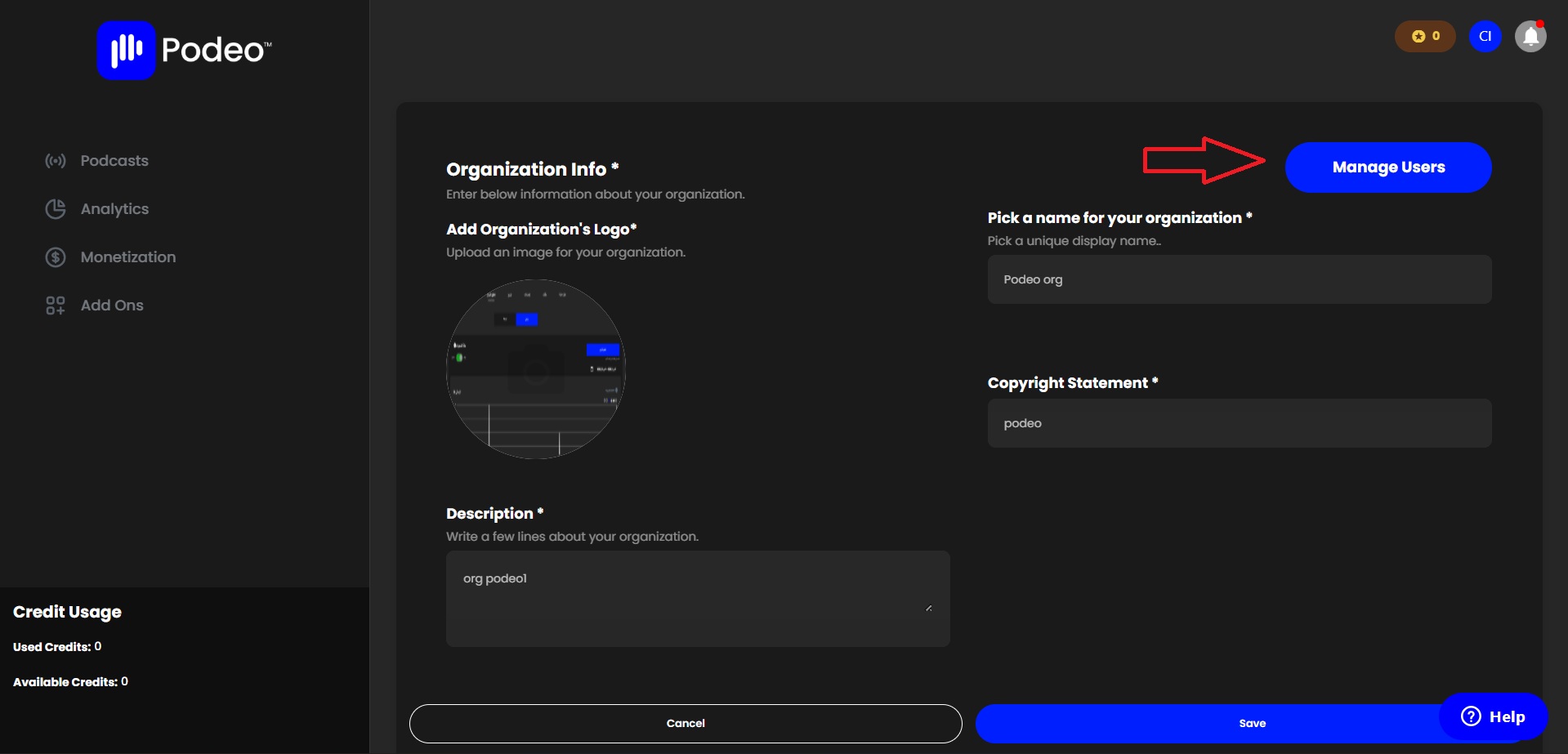
Click on "Manage Users" under Organization/Settings.
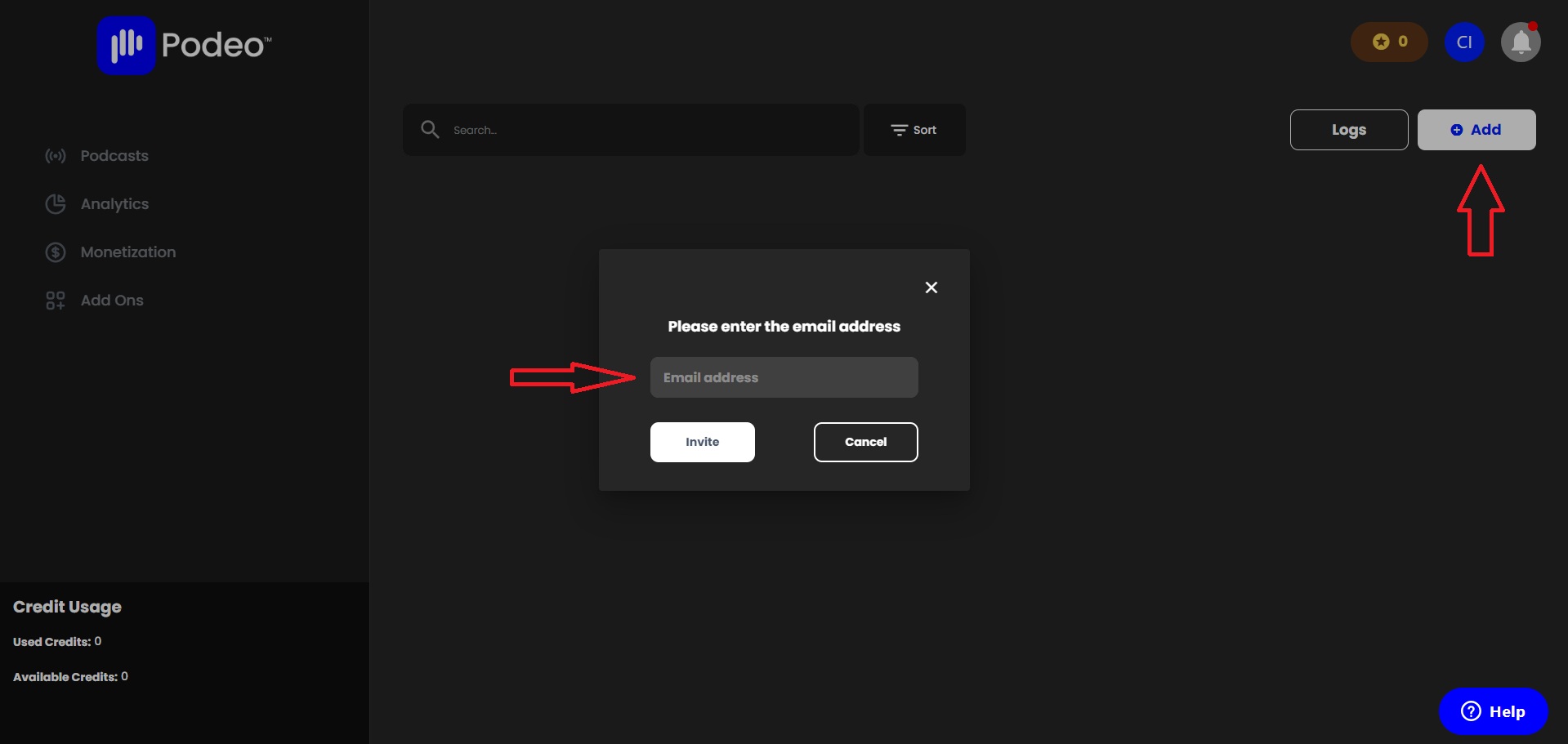
Now you are able to add users to your organization by first clicking on "Add" and then entering the email address of each user.
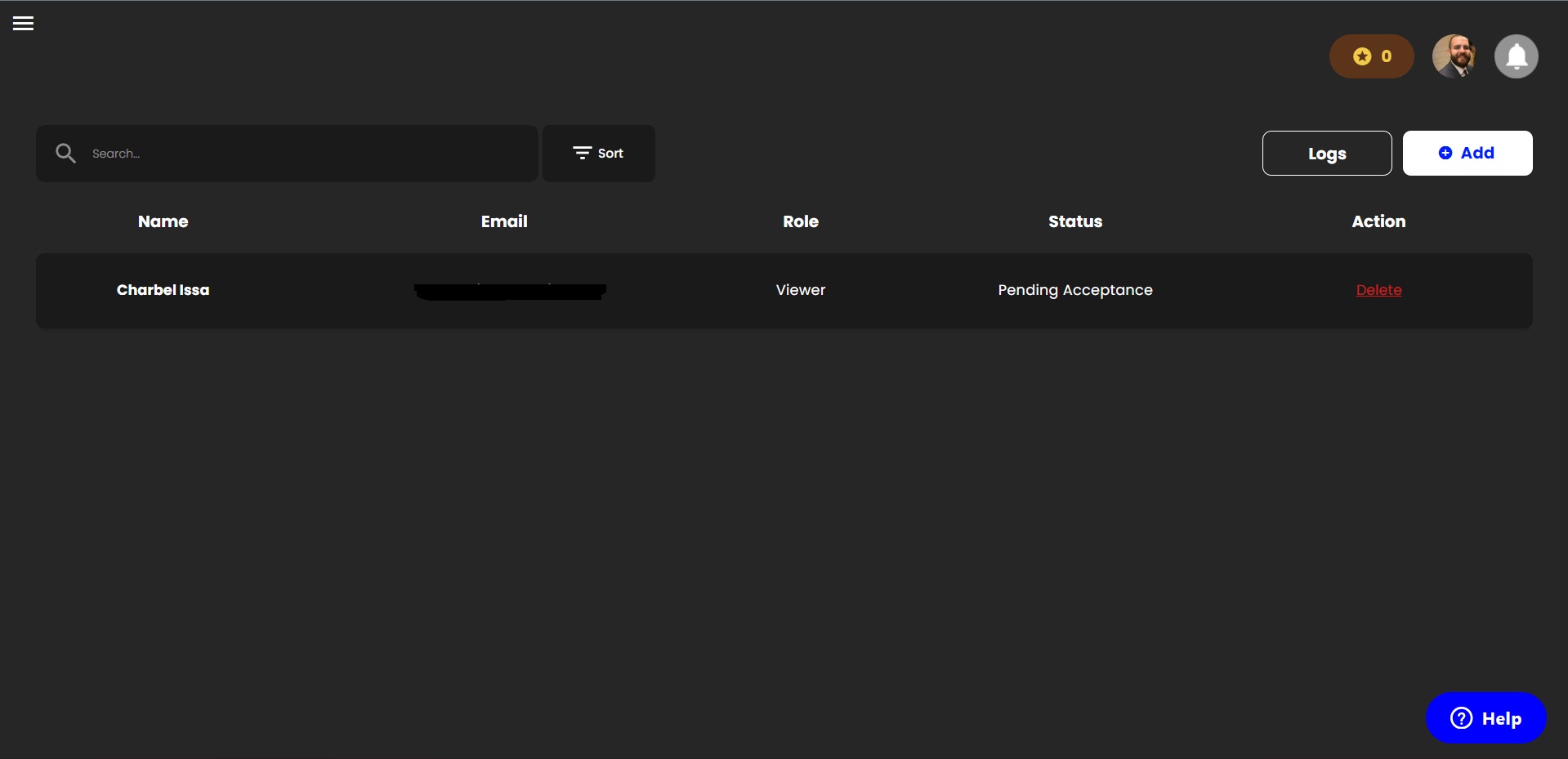
After adding a new user, they will automatically receive an email invitation. To complete the process, they need to open the email and accept the invitation to join.
Was this article helpful?
No votes yet