FAQ
How Can I Change My Password?
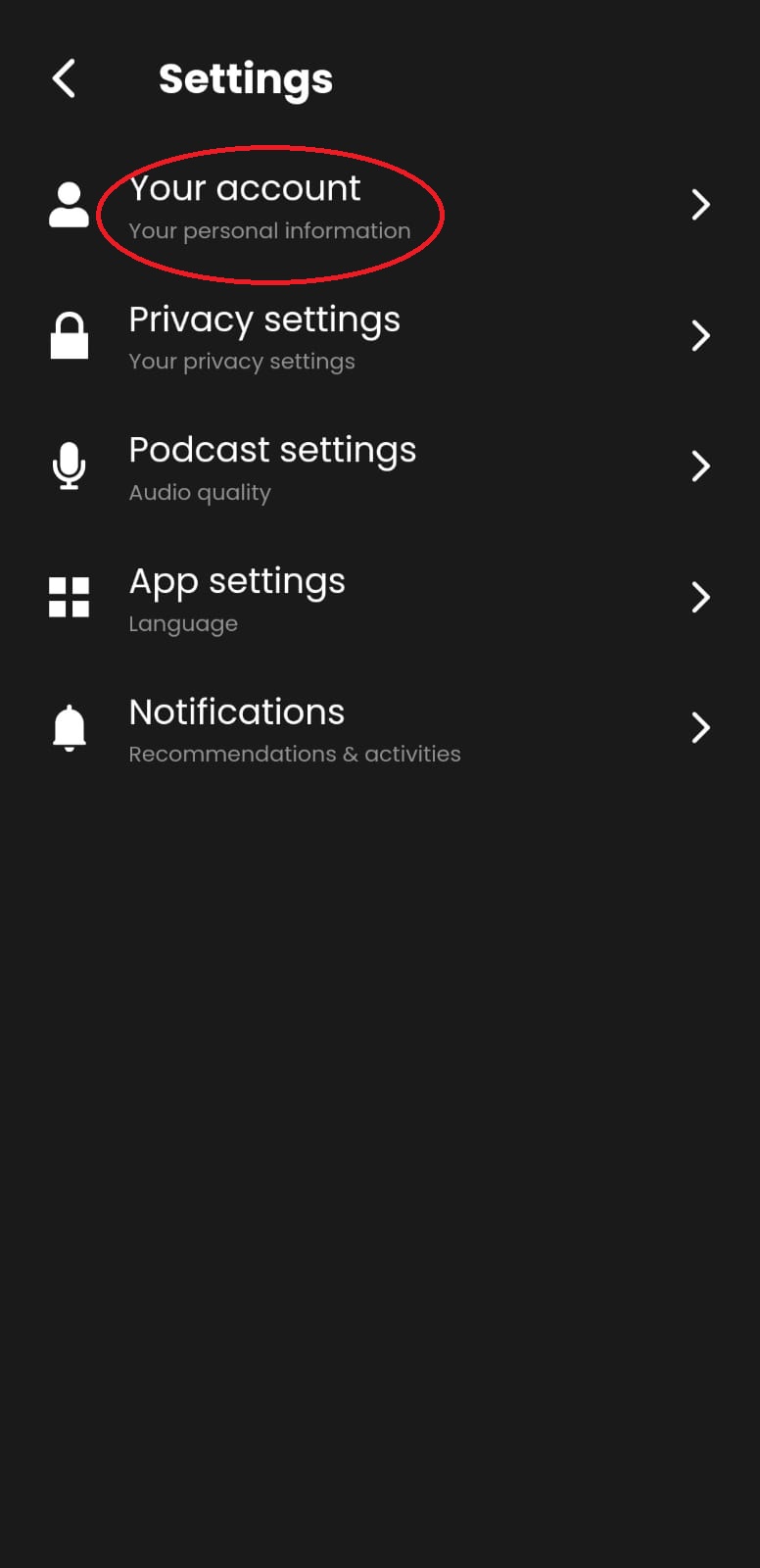
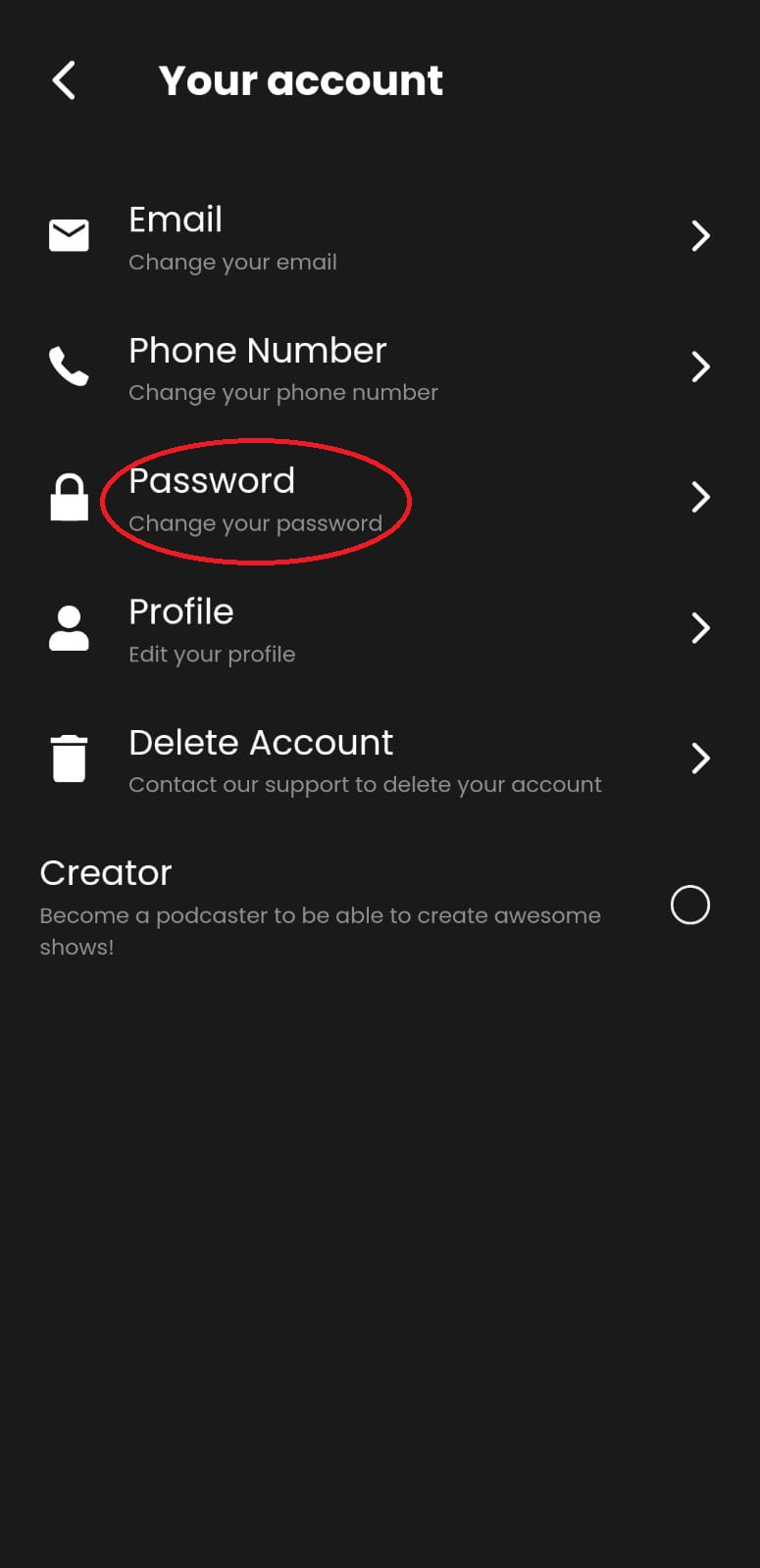
All you have to do to change your password is to access your account menu on the top left of your screen, click on “Settings,” then “Your Account,” and click on “Password.”
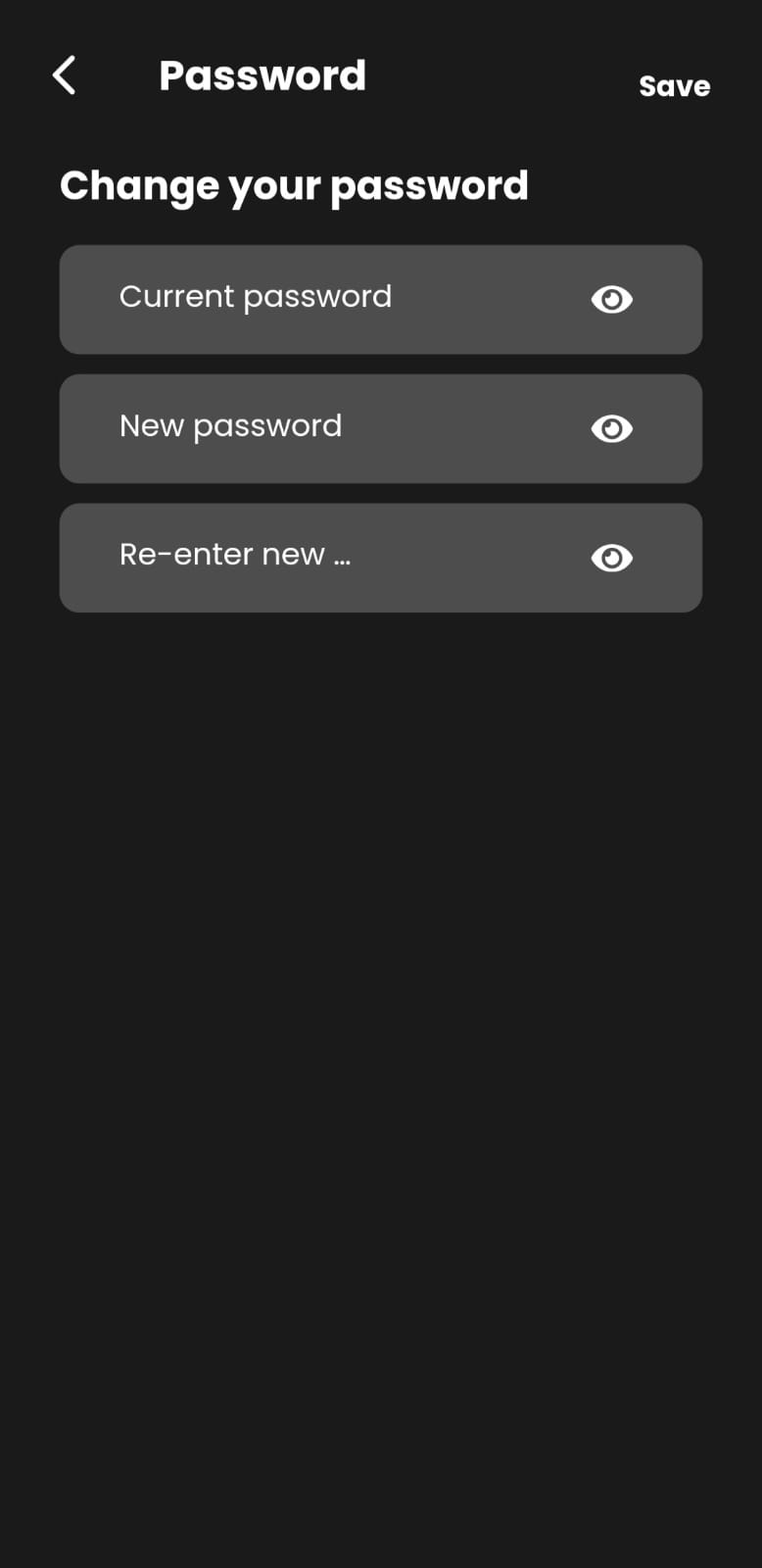
Proceed by entering your current and a new password of your choice, confirm the new password, and finally, click on “Save.”
Was this article helpful?
No votes yet