Articles
Publish On YouTube Music
Follow these simple steps in order for you to submit your podcast to YouTube Music:
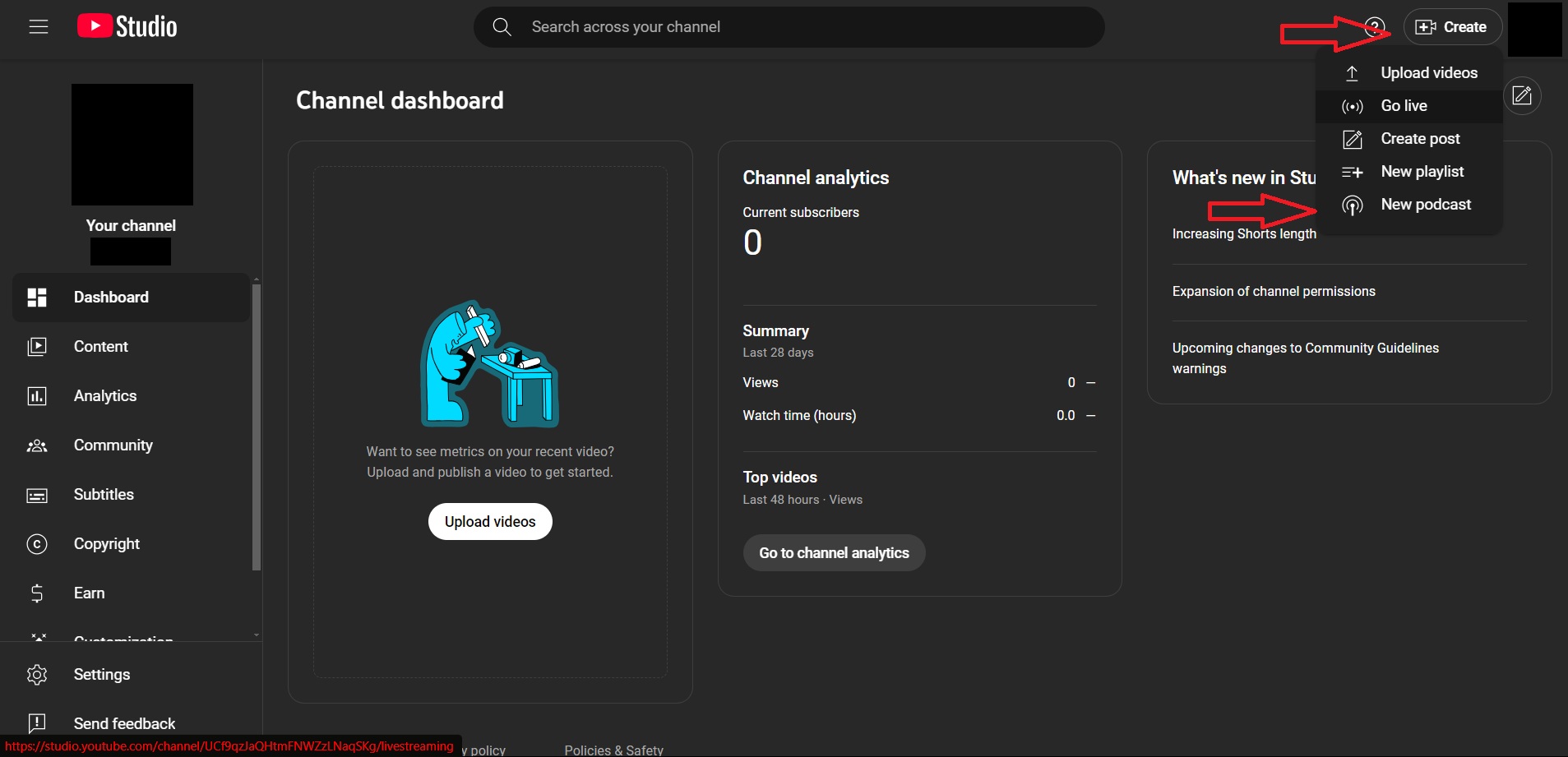
- Log in to your YouTube Studio account and click on “Create”, and then “New Podcast”
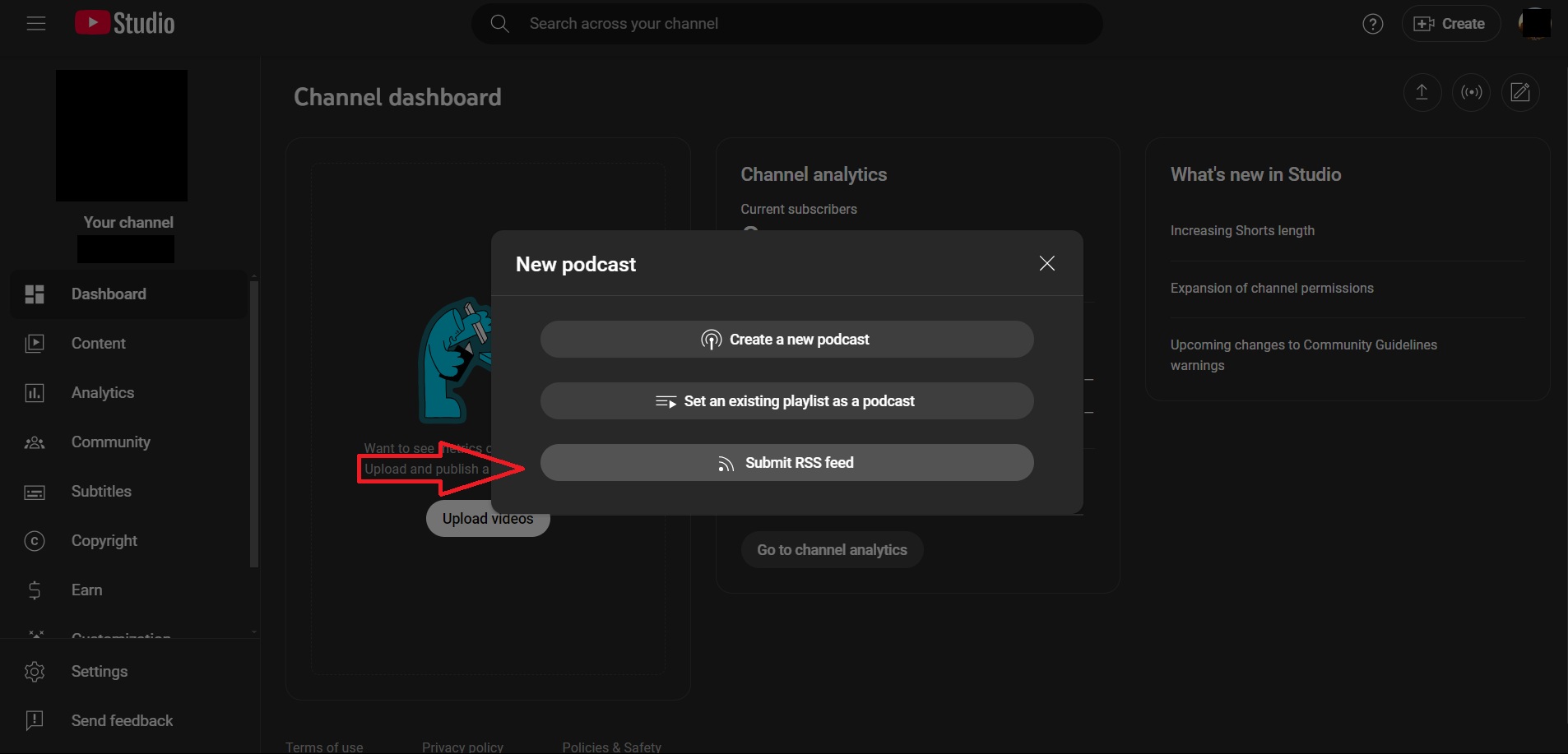
- Click on "Submit RSS Feed” and complete your one-time verification.
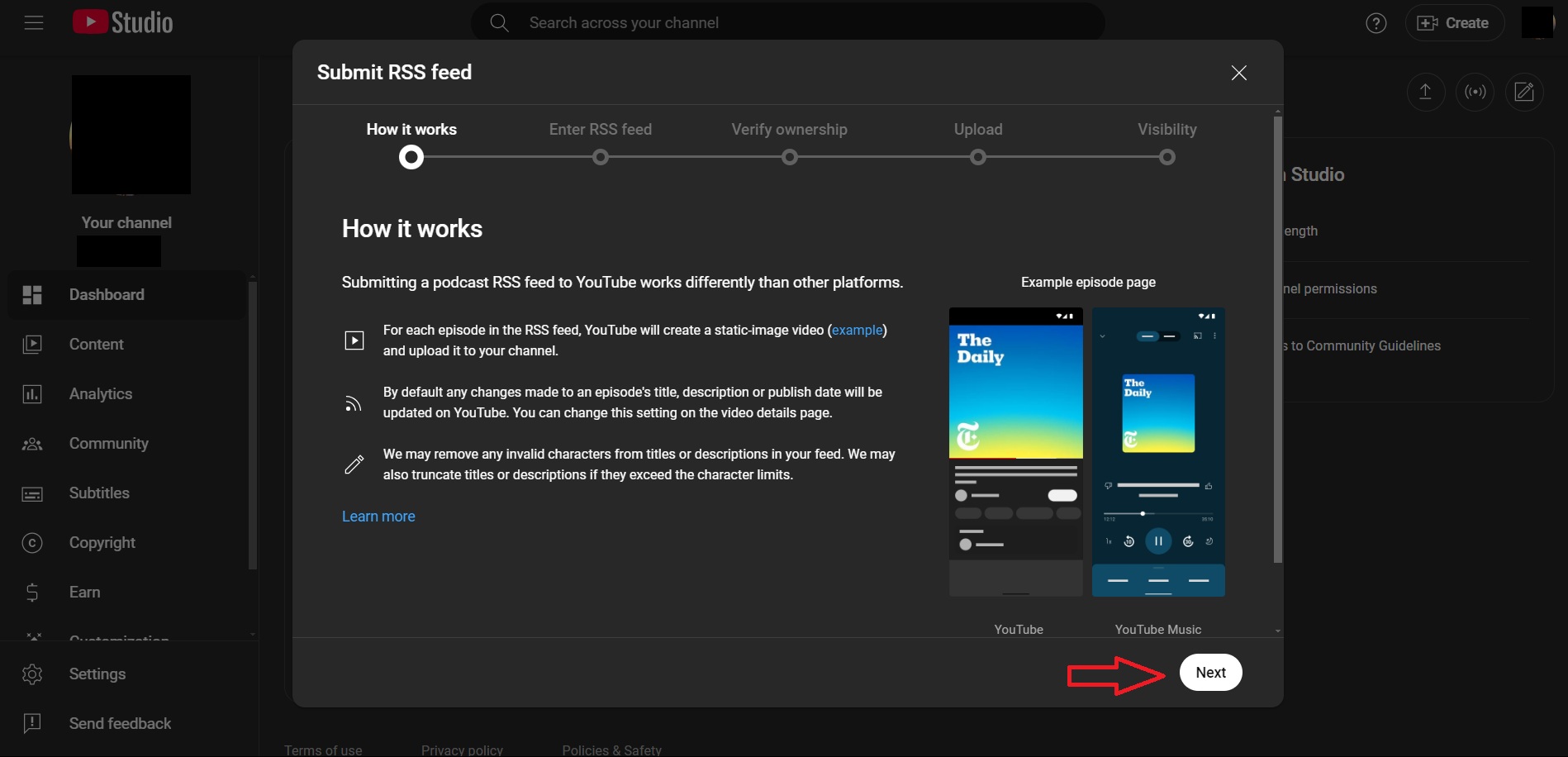
- Agree to YouTube’s Terms & Conditions.
- Click “Next” and submit your RSS Feed.
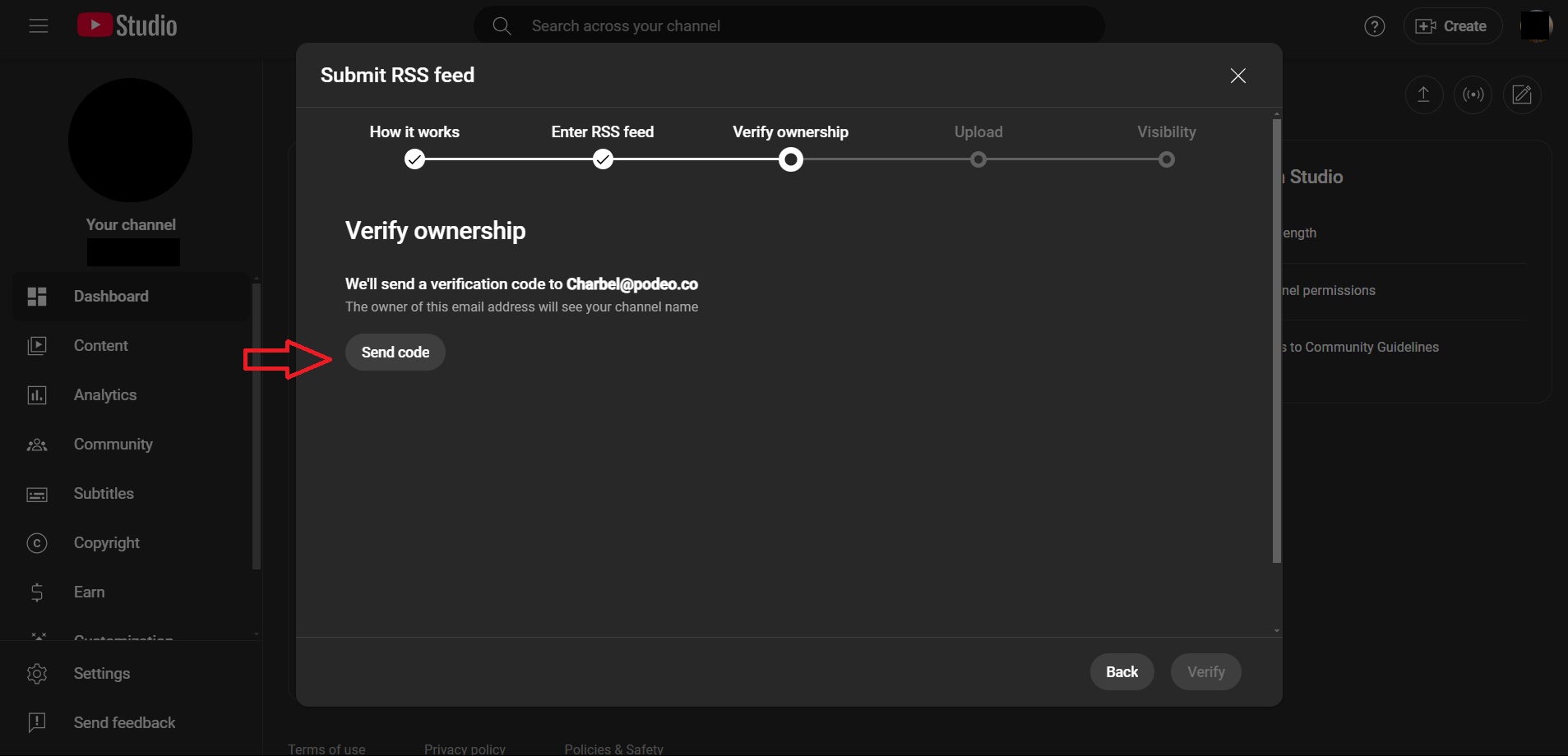
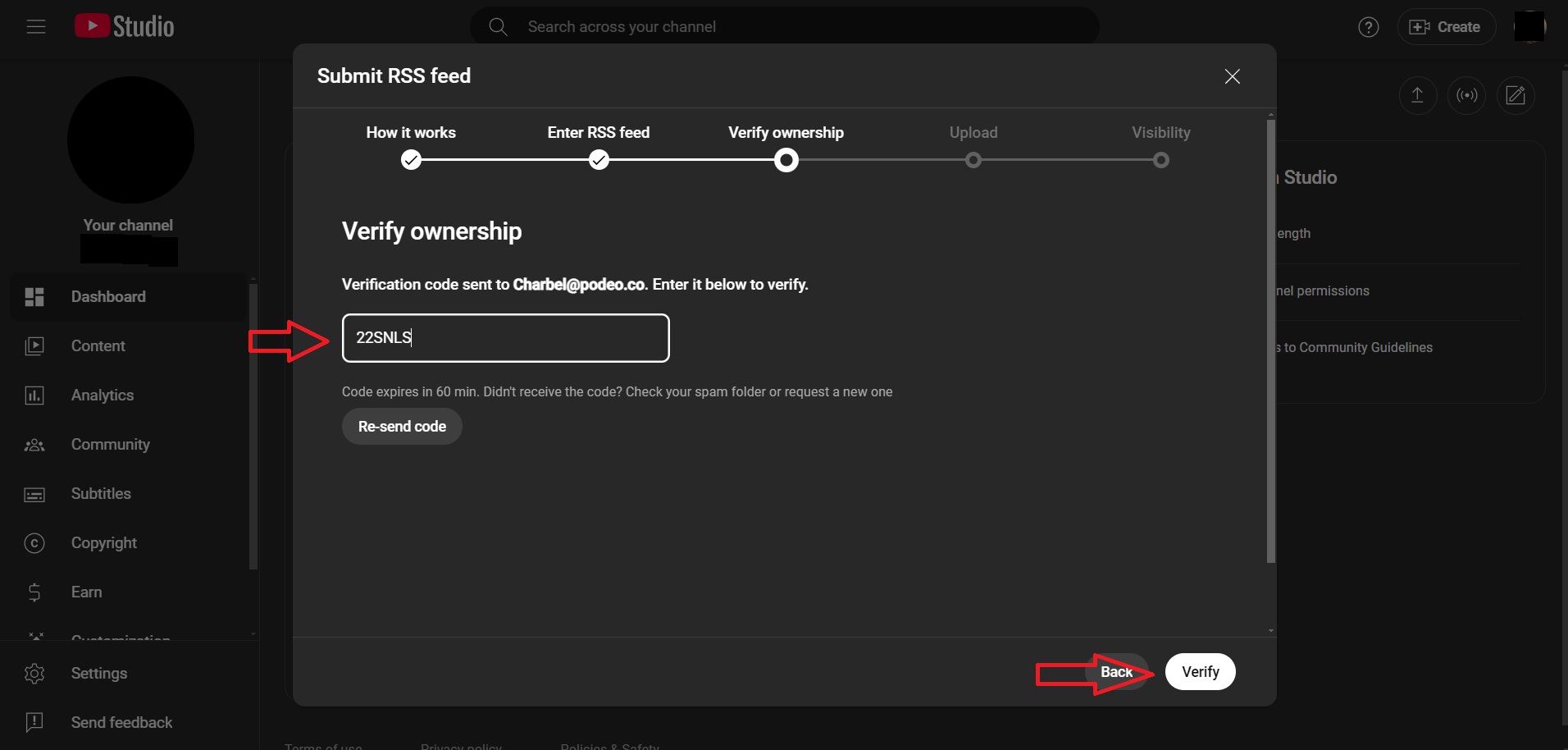
- Click on “Send Code” and verify ownership of your podcast.
- Enter the code sent to your email address and then click on “Verify”.
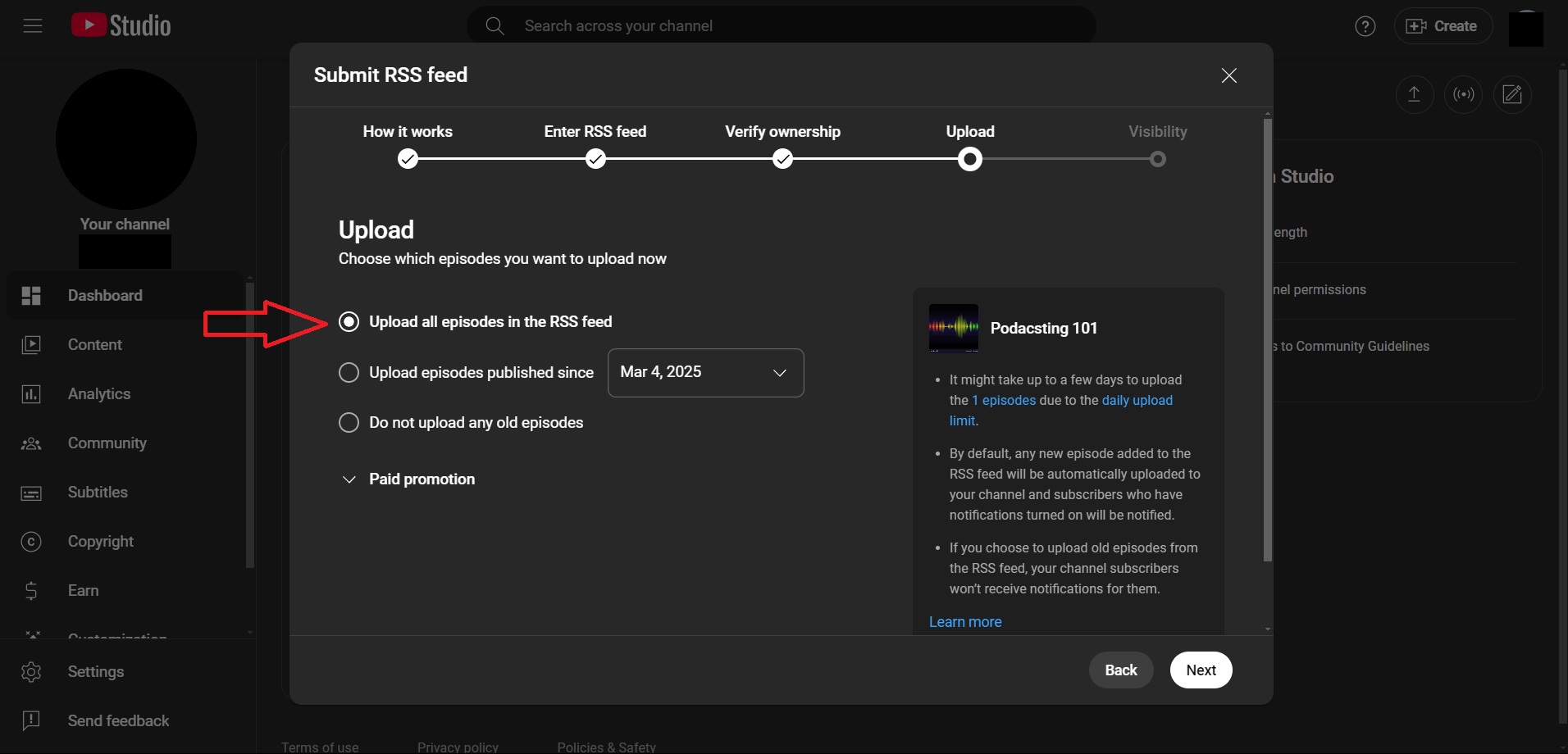
- Select “Upload all episodes in the RSS feed” and click on “Next”.
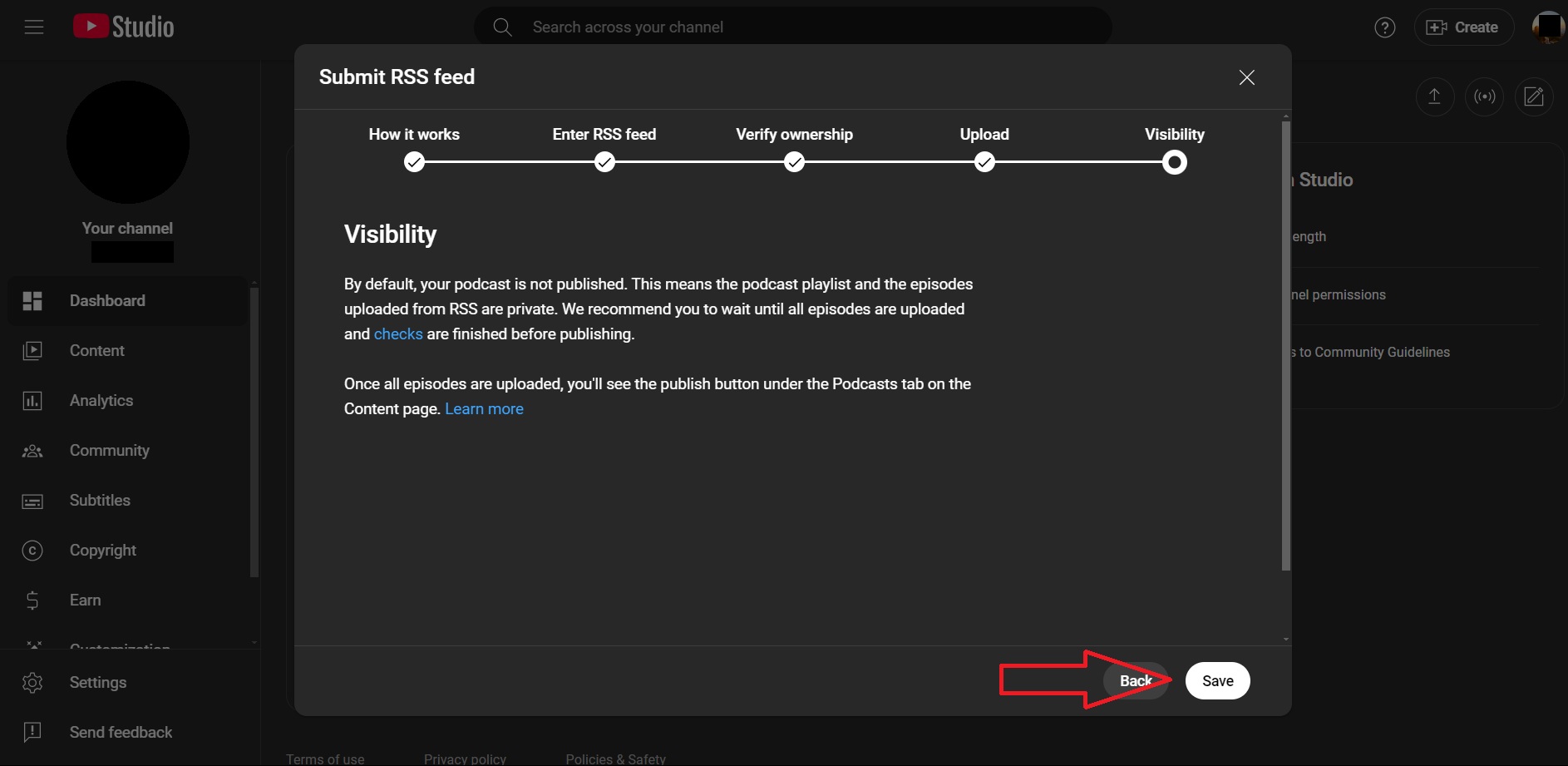
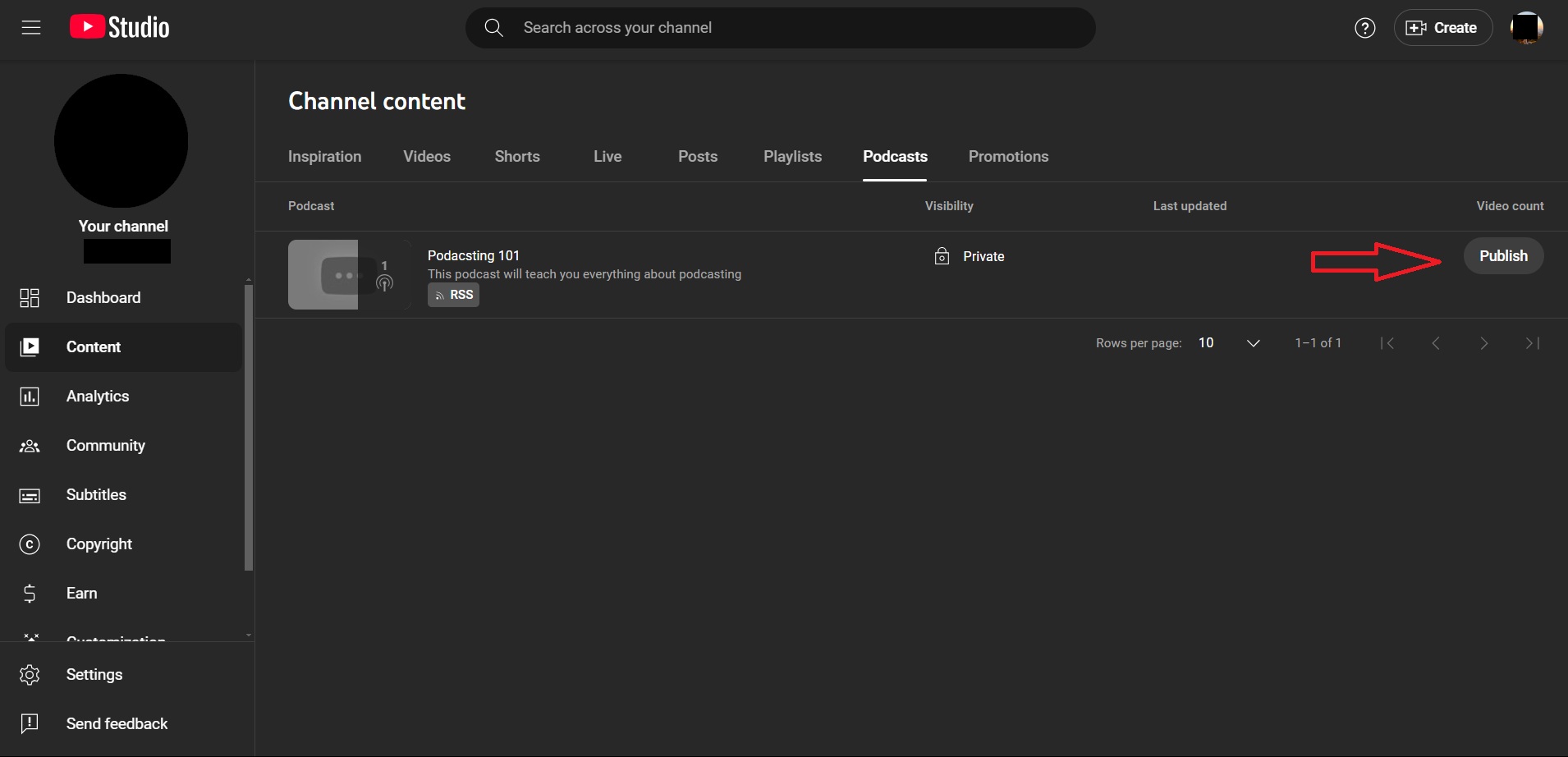
- Note that you will have to manually publish your podcast once it is processed.
Was this article helpful?
No votes yet