FAQ
How Do I Edit My Organization Settings?
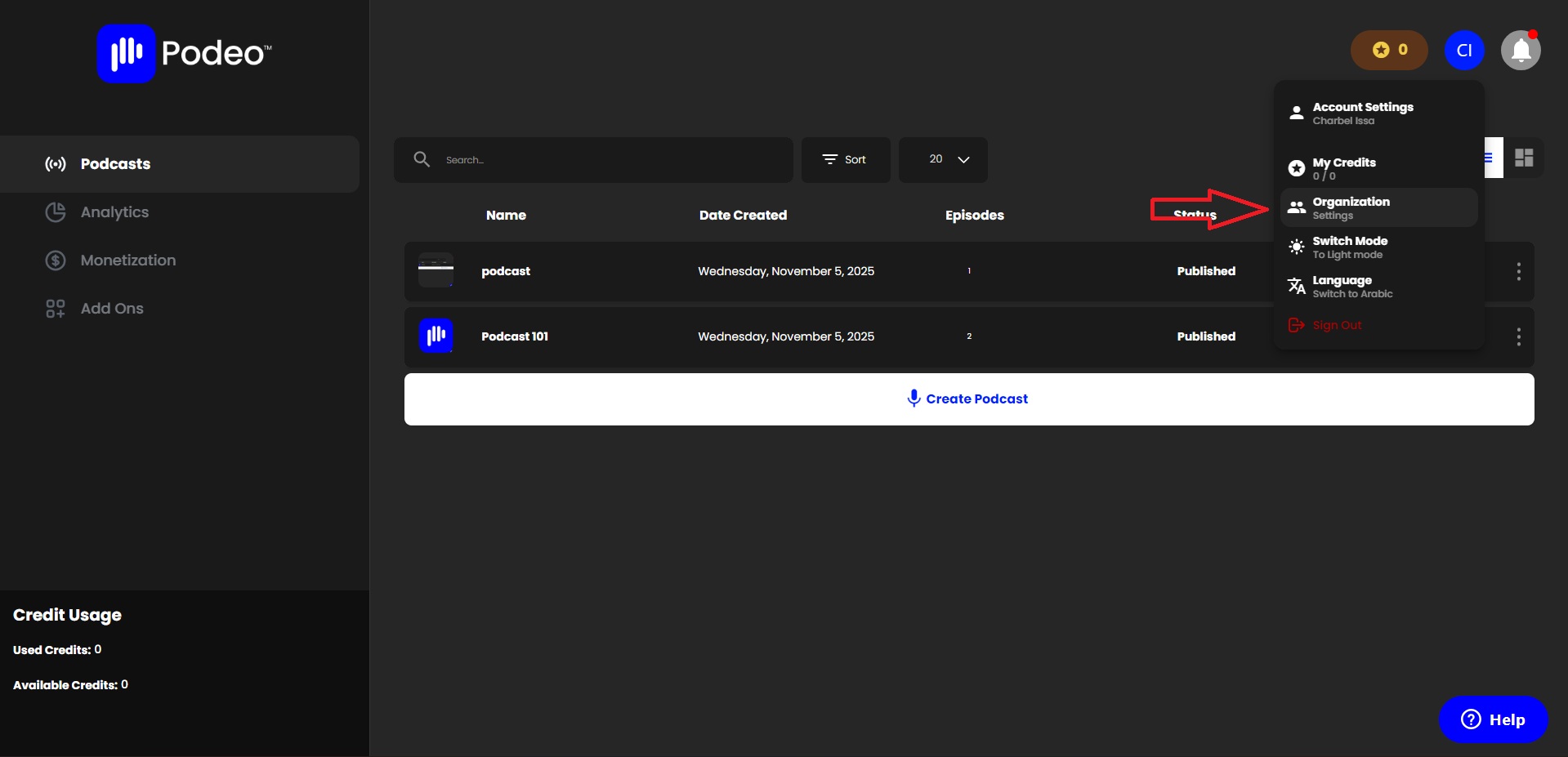
After logging in to your account on the dashboard, click on "Organization", then click on "Settings".
This is where you need to fill in all your information and add a logo, a name, & a description of your organization.
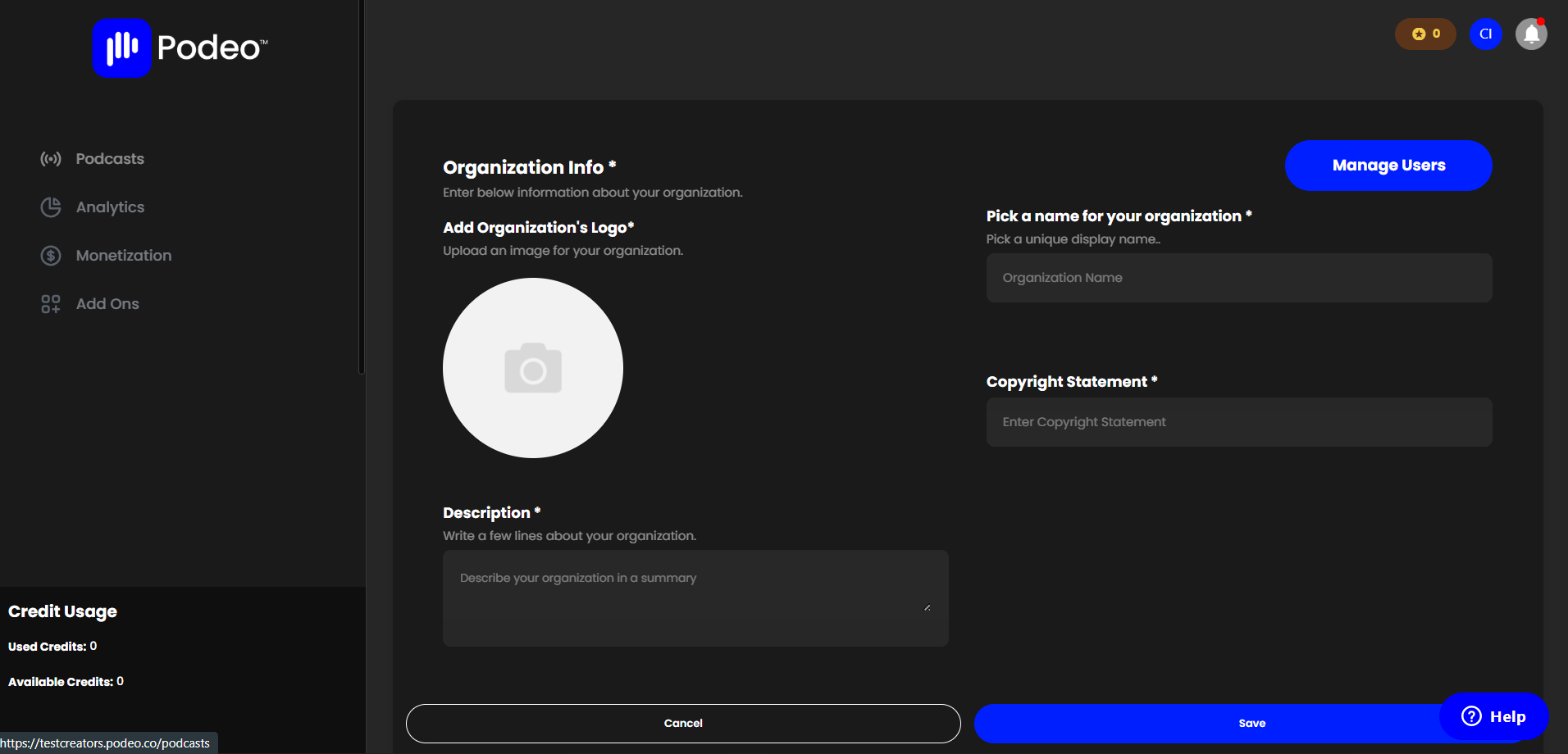
After entering the required information, click on "Save".
Was this article helpful?
No votes yet