Articles
Publish On Spotify
In order for you to submit your podcast to Spotify, follow these simple steps:
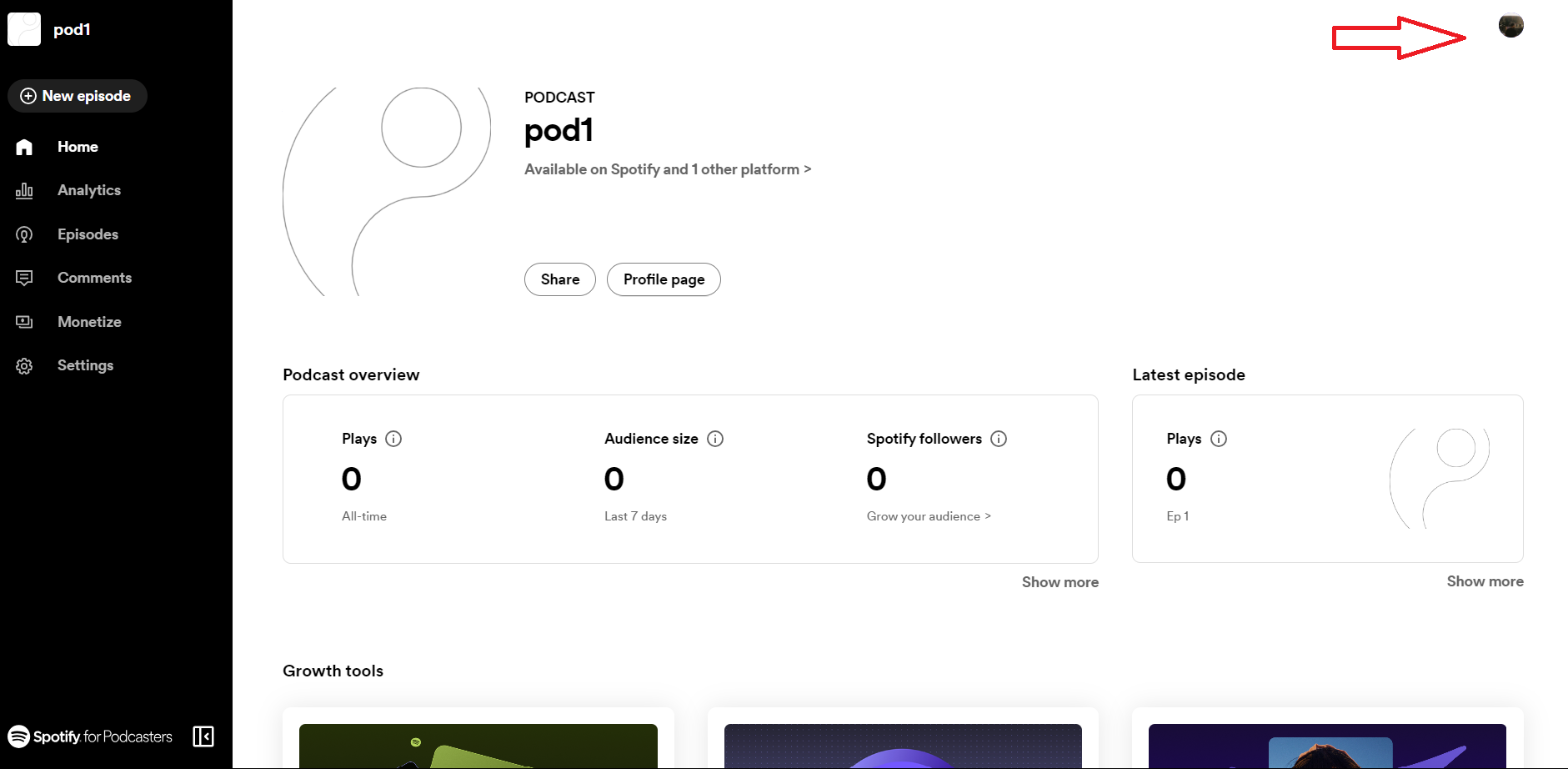
- Log in to Spotify for Podcaster and click on your profile on the top right corner of your screen.
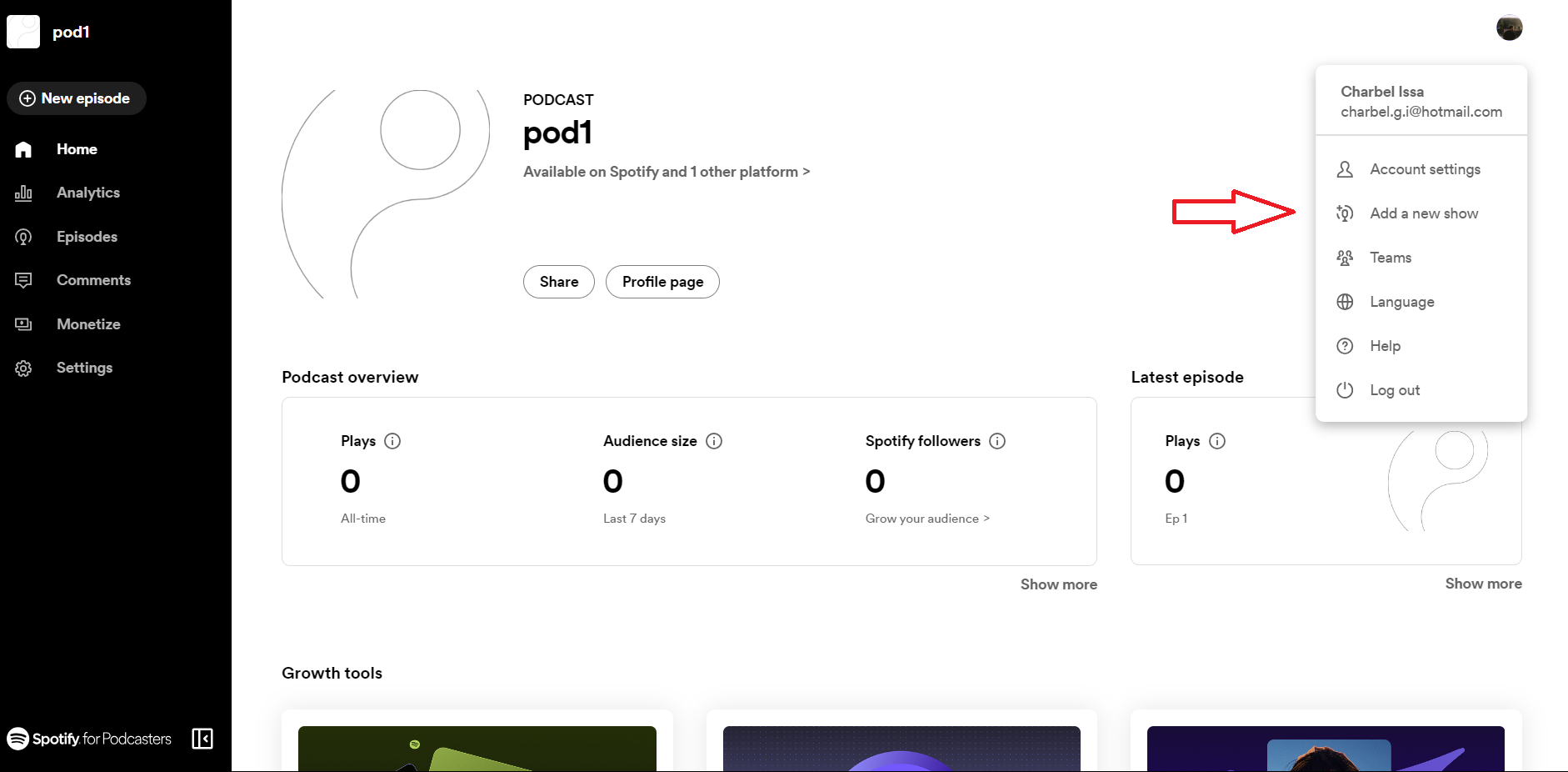
- Now click on "Add a new show".
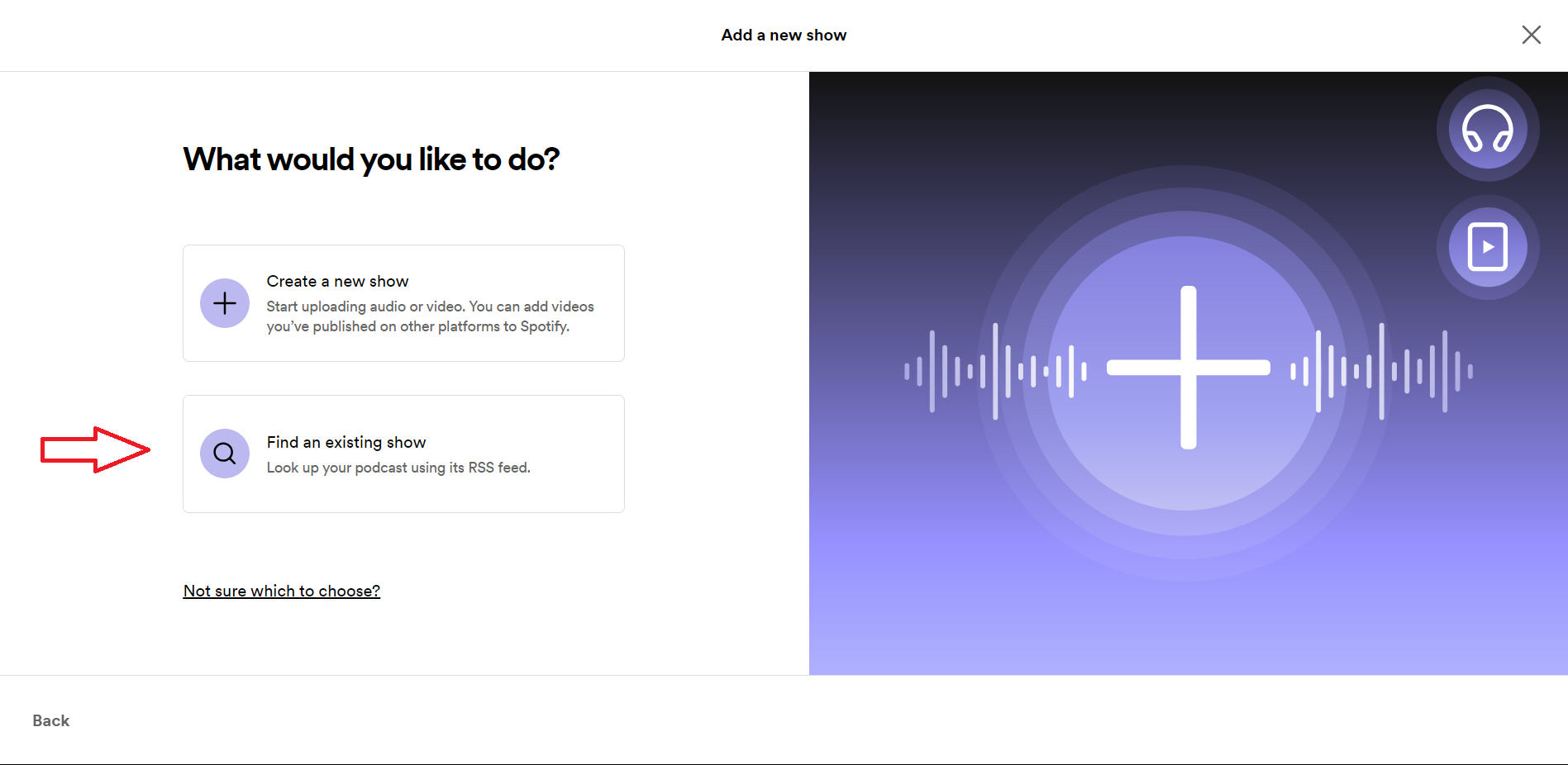
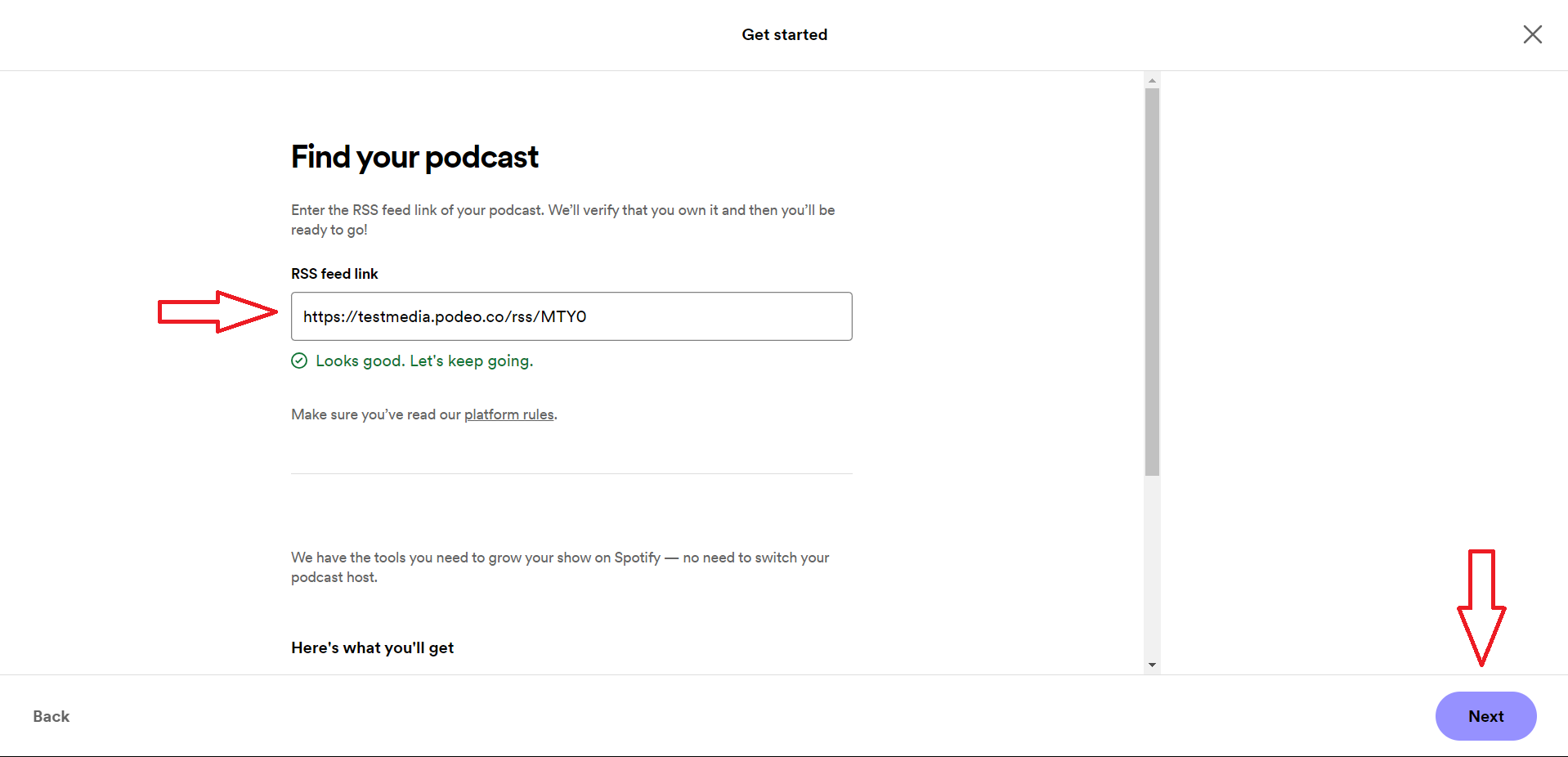
- Click on "Find an existing show", add your RSS Feed and click on "Next".
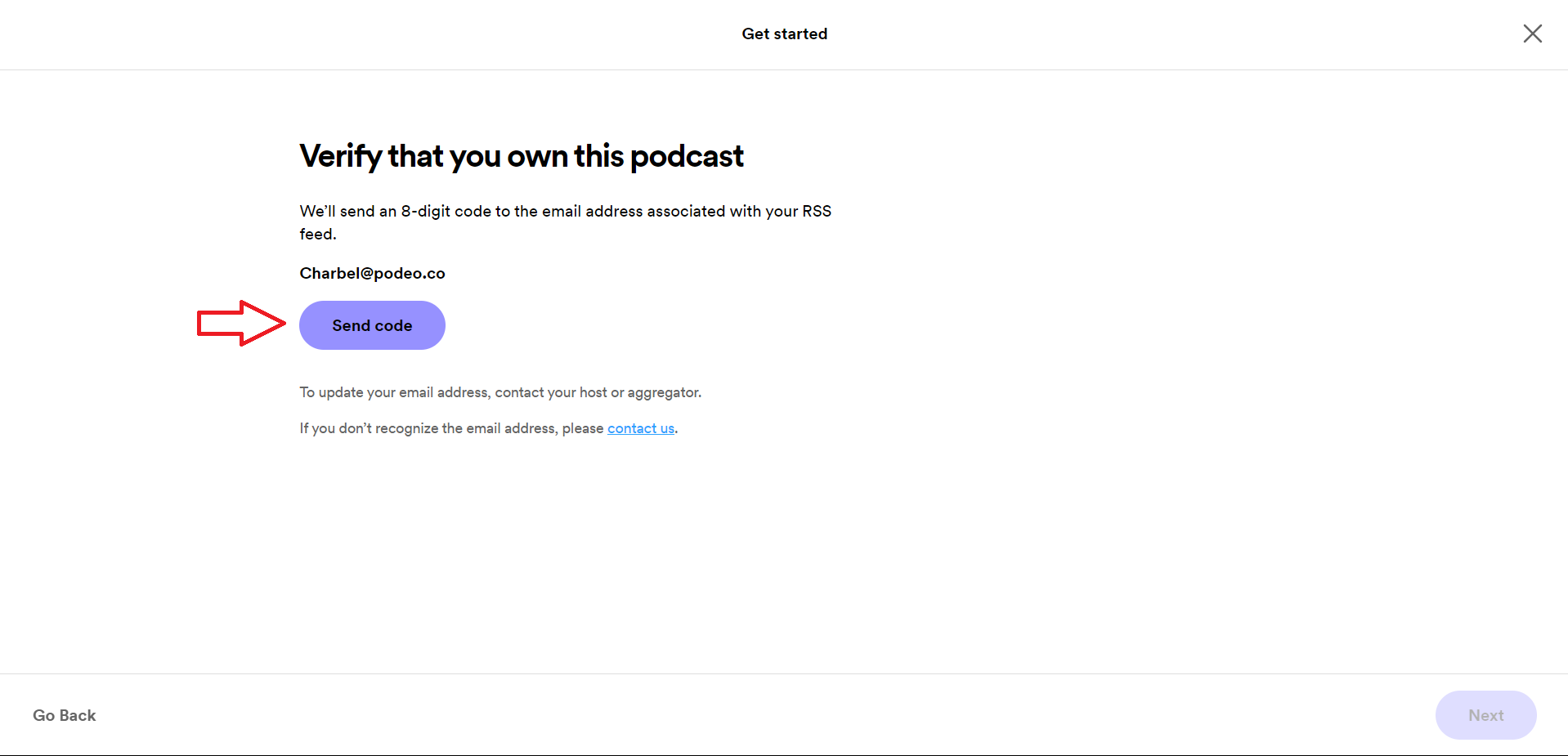
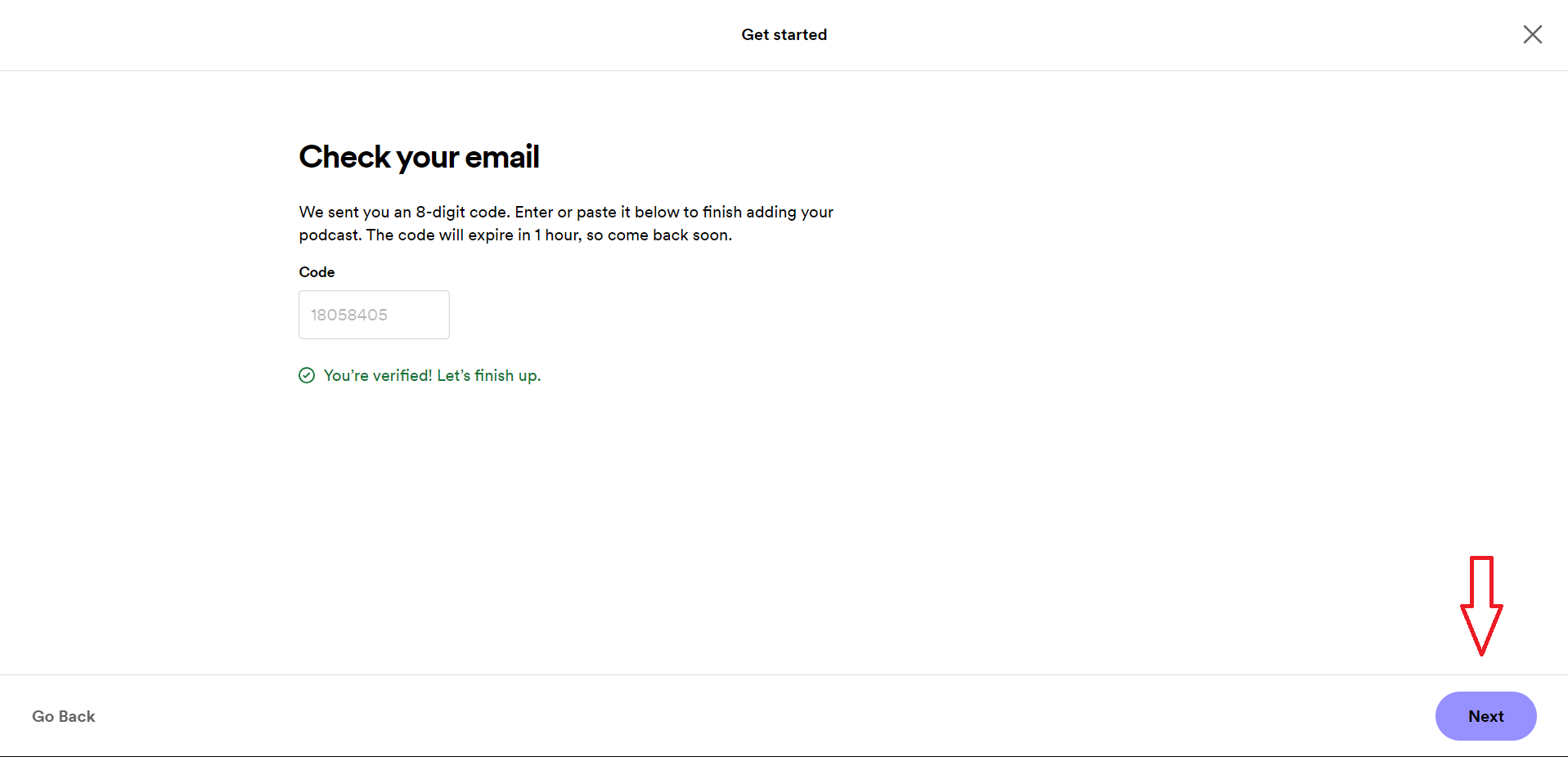
- Verify ownership of your podcast by clicking on "Send Code", and copying the code sent from Spotify to your email address. Once done click on "Next"
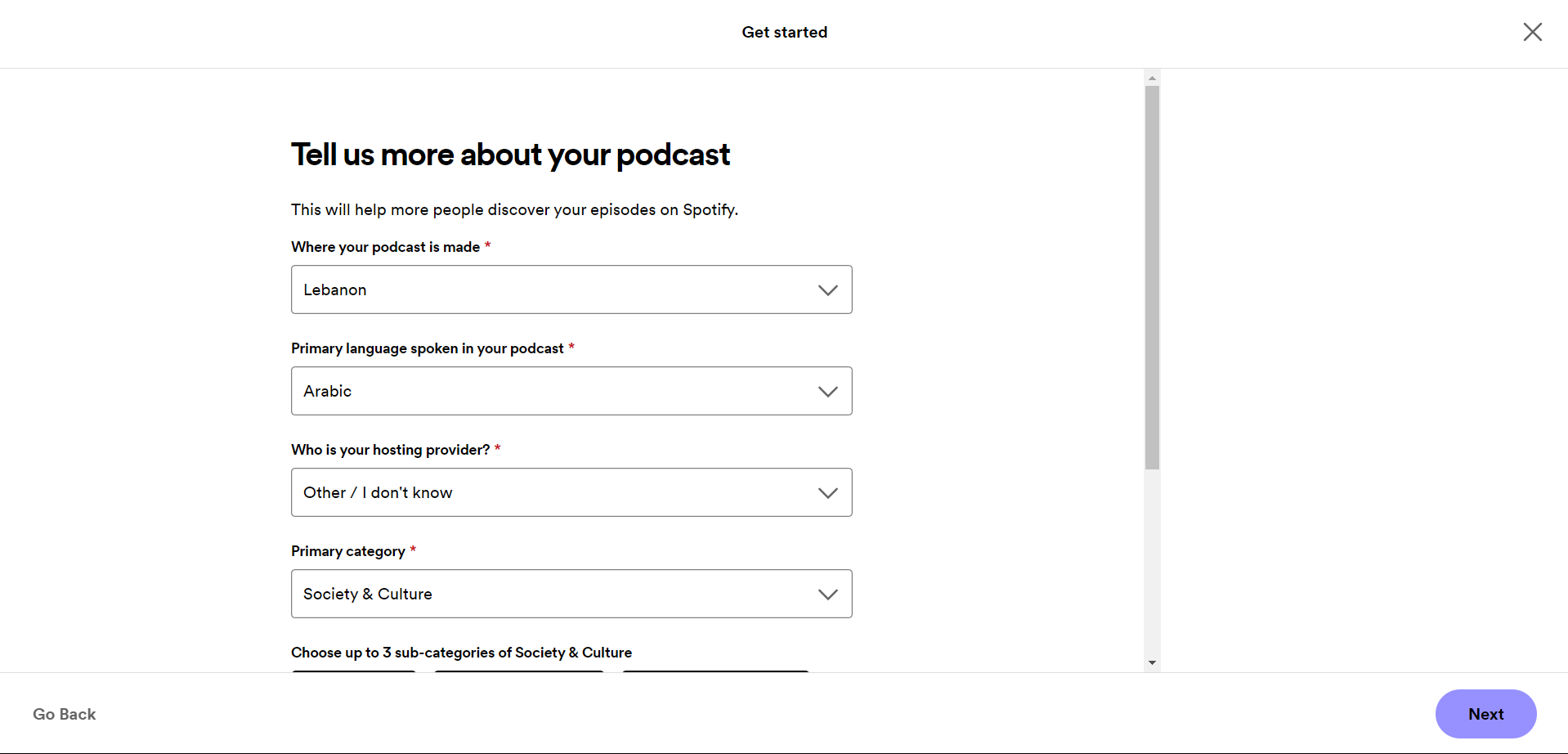
5. Fill in the required information such as Country, Language and Primary and Sub Categories, and click on "Next".
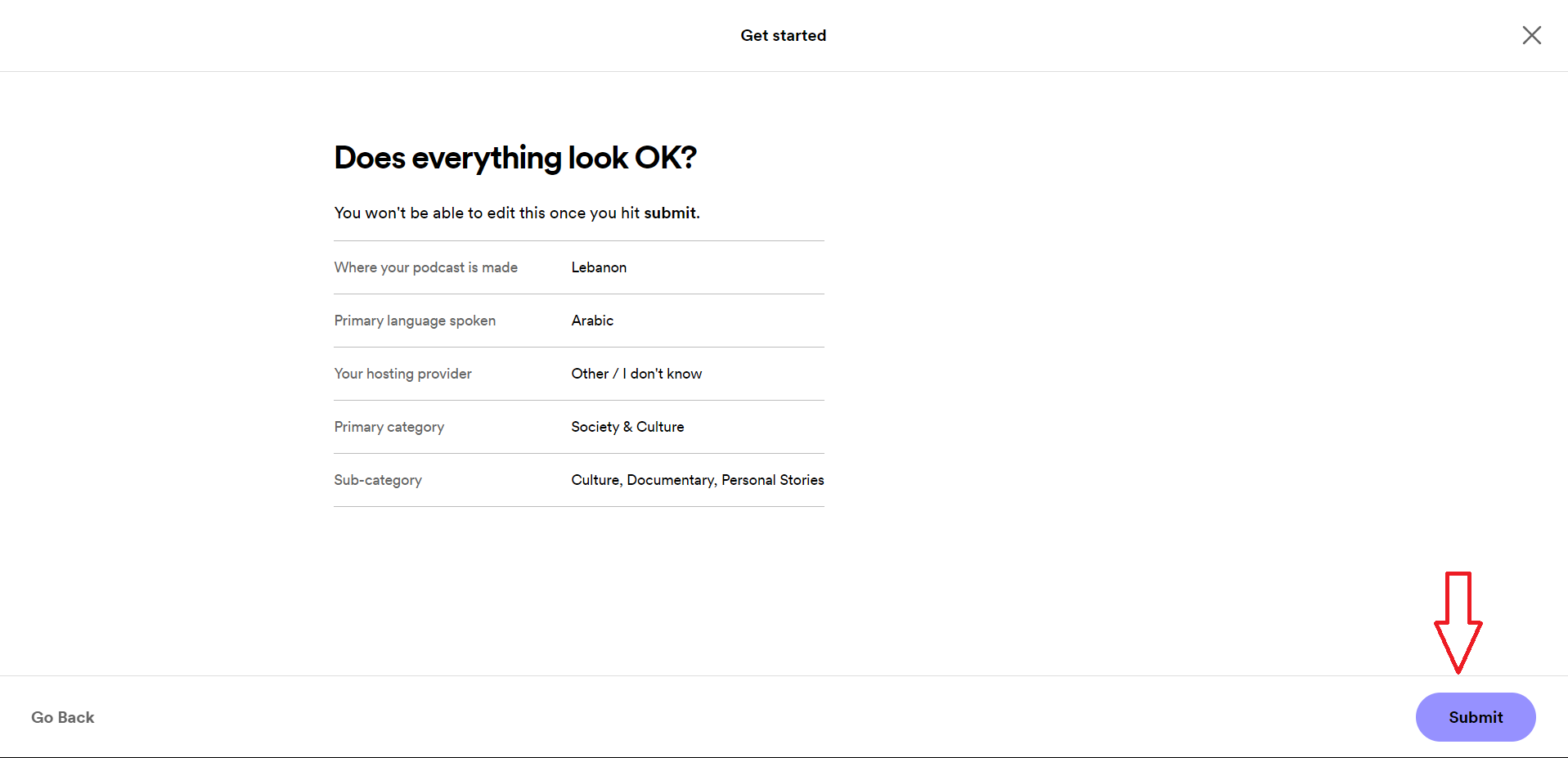
6. Review the submitted informartion and finally click on "Submit".
Was this article helpful?
No votes yet