Edit Your Episodes
You can edit any episode in just a few clicks.
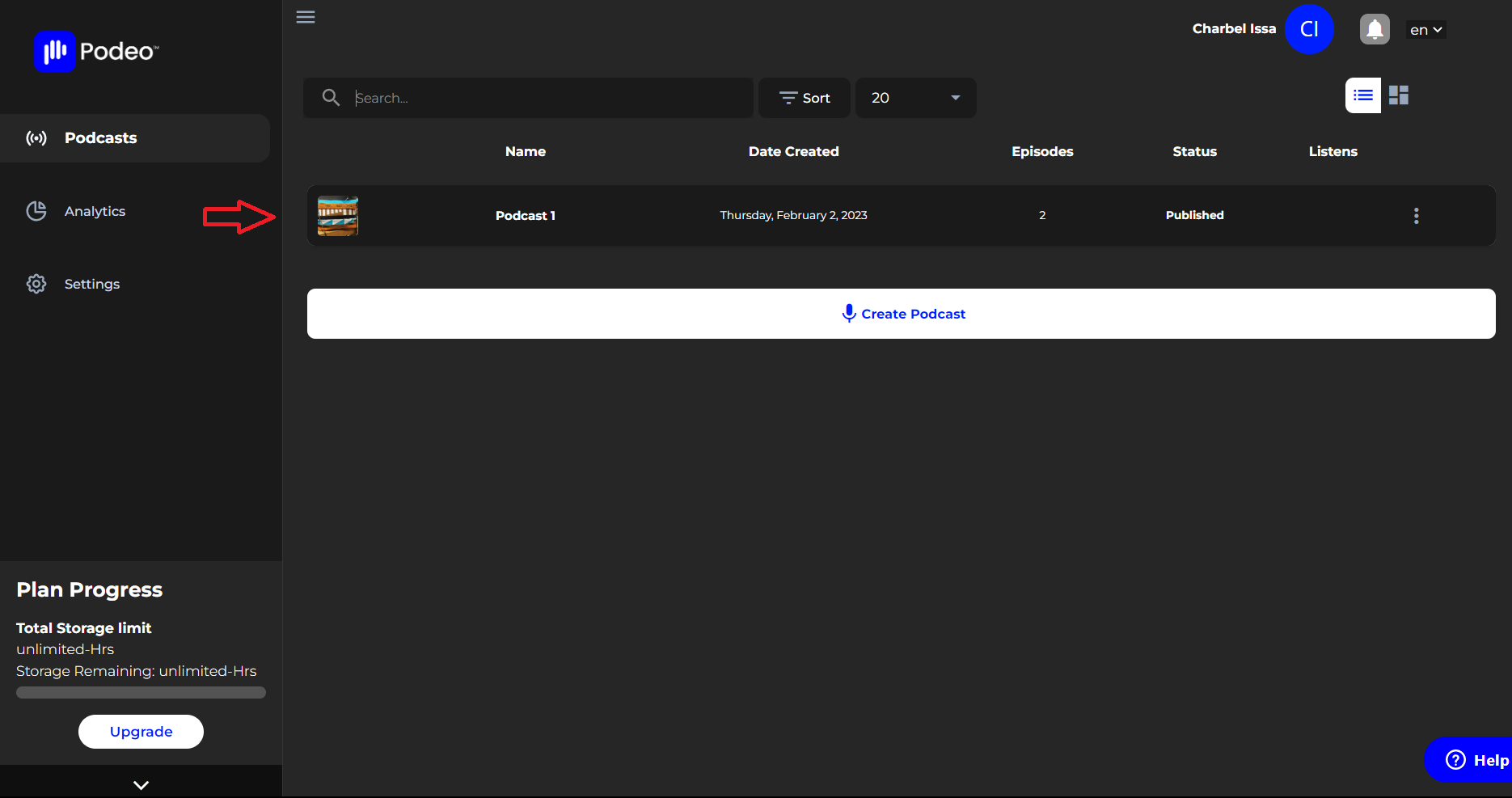
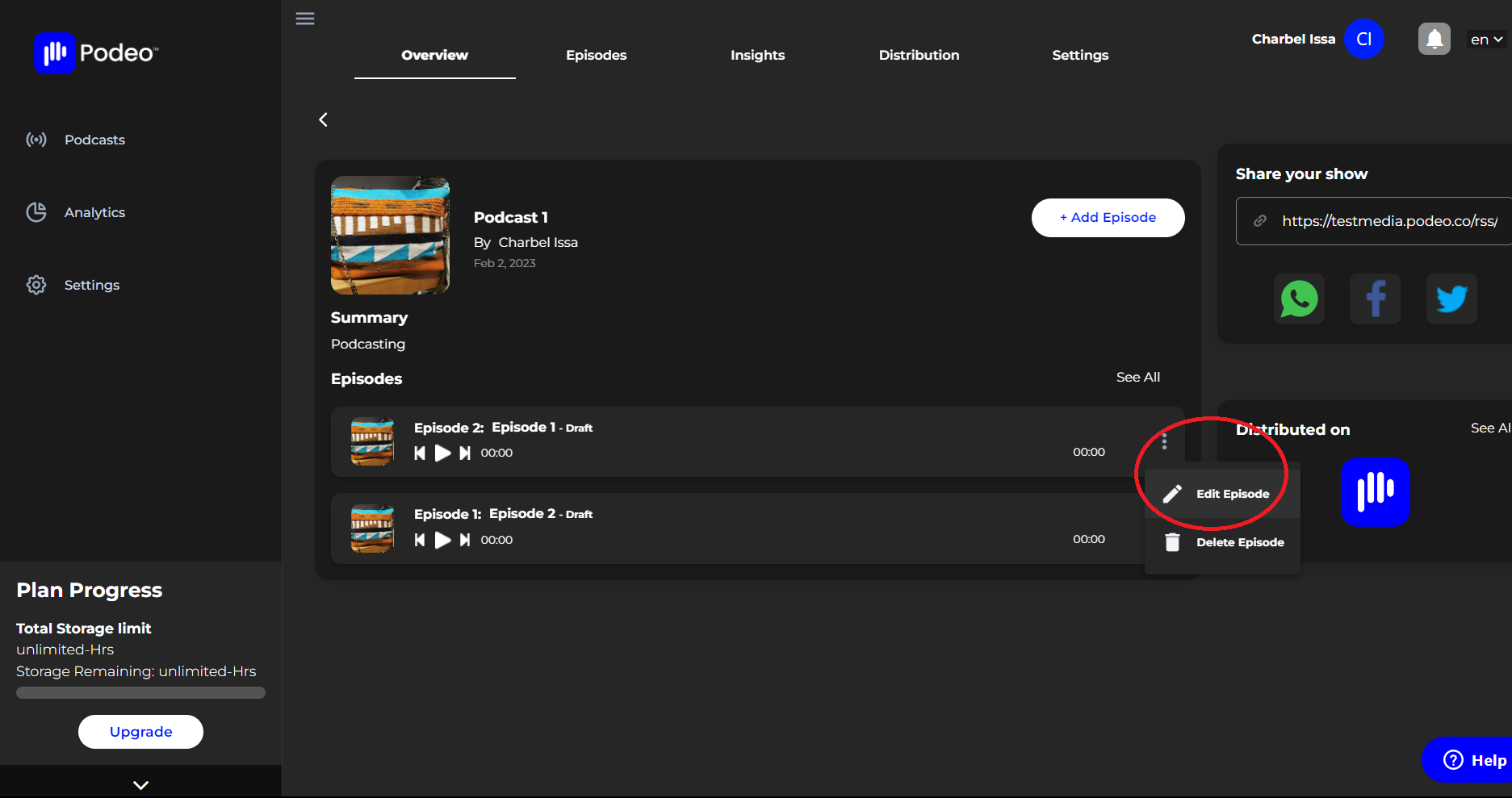
On the dashboard, open the podcast you wish to edit, you will now see all the episodes belonging to the podcast you just opened, click on the three dots on the left of the episode title and select "Edit".
You will now be able to change the episode's cover image, edit it's description, tags, language, age and country.
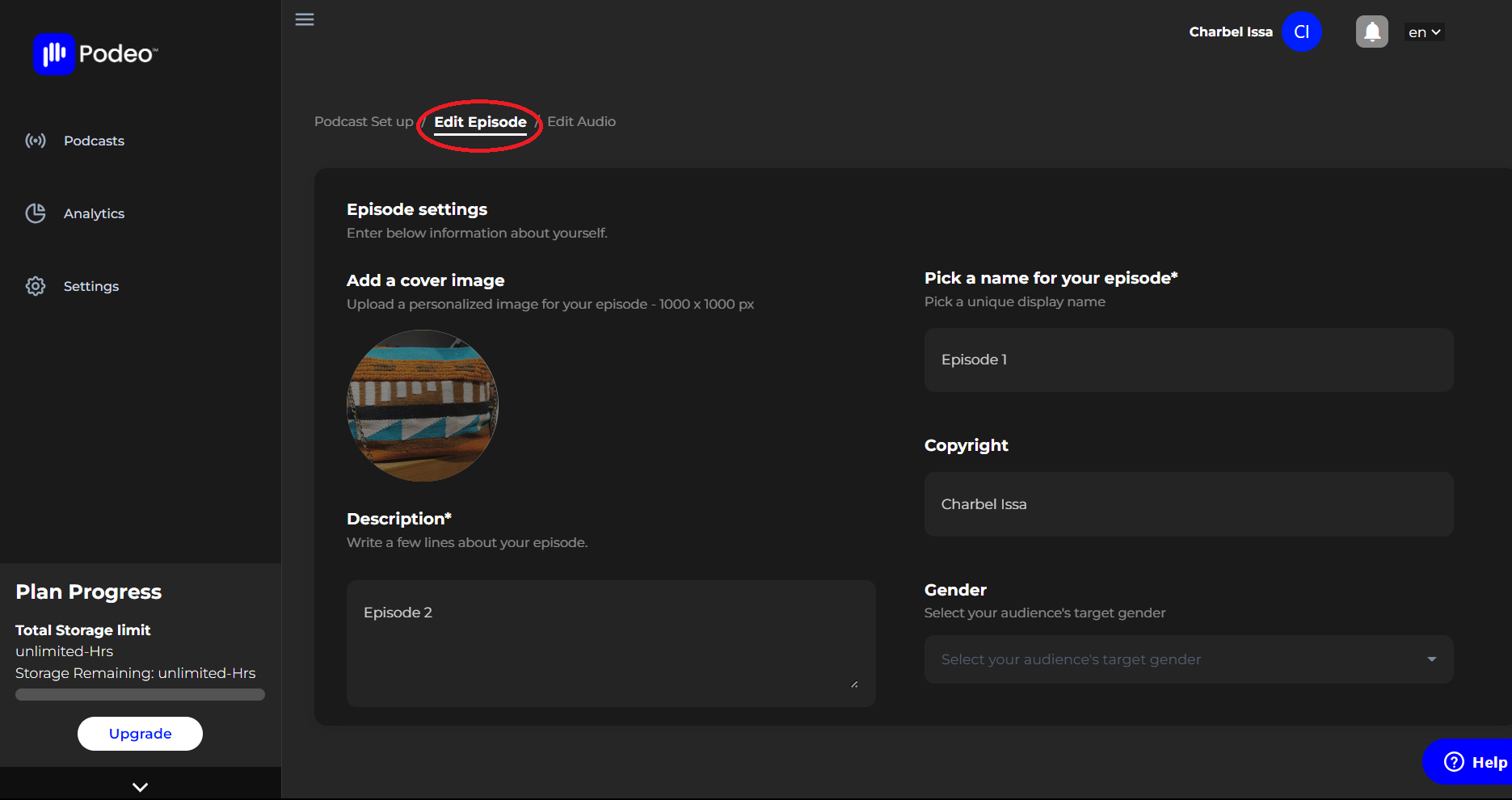
Once done, scroll down and press "Save".
Was this article helpful?
No votes yet