How Do I Create A Podcast?
Getting started is simple!
-
Sign Up & Access Your Dashboard
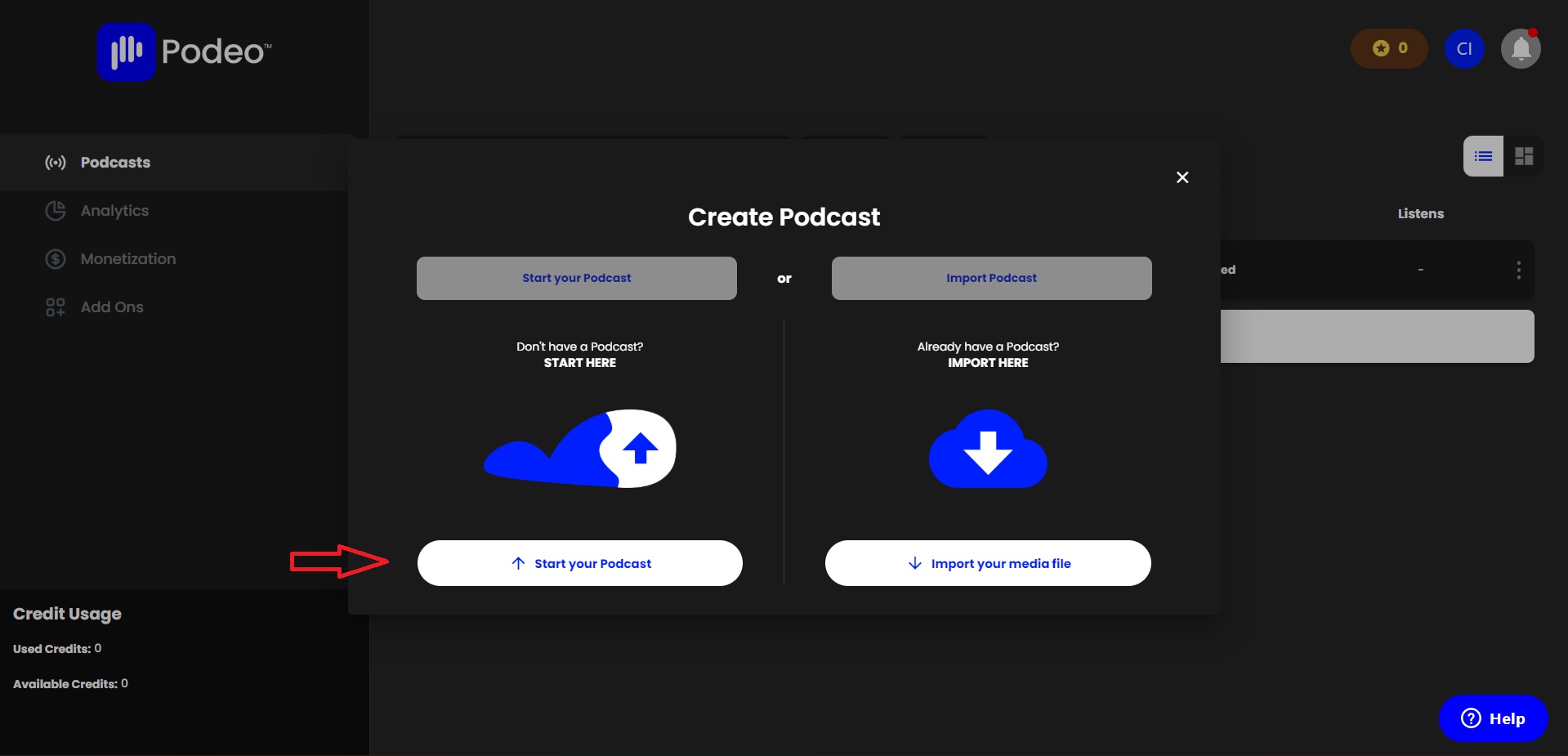
Begin by signing up and logging into your Creator Dashboard. Once inside, click on “Create Podcast”, then select “Start Your Podcast.”
-
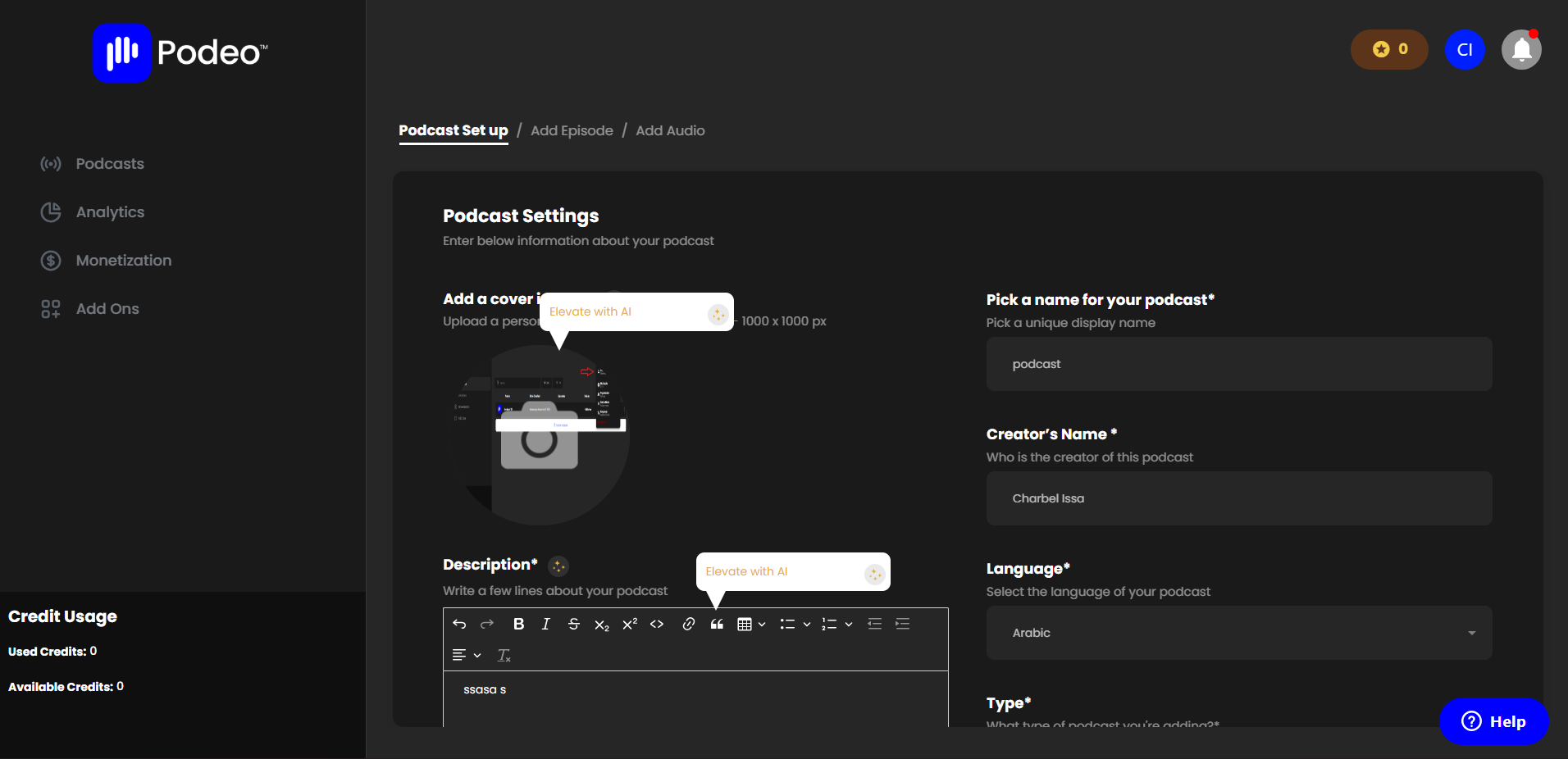
Add Your Podcast Details
Enter all your podcast information, including:Cover Image
Podcast Name
Description
And any other required details
-
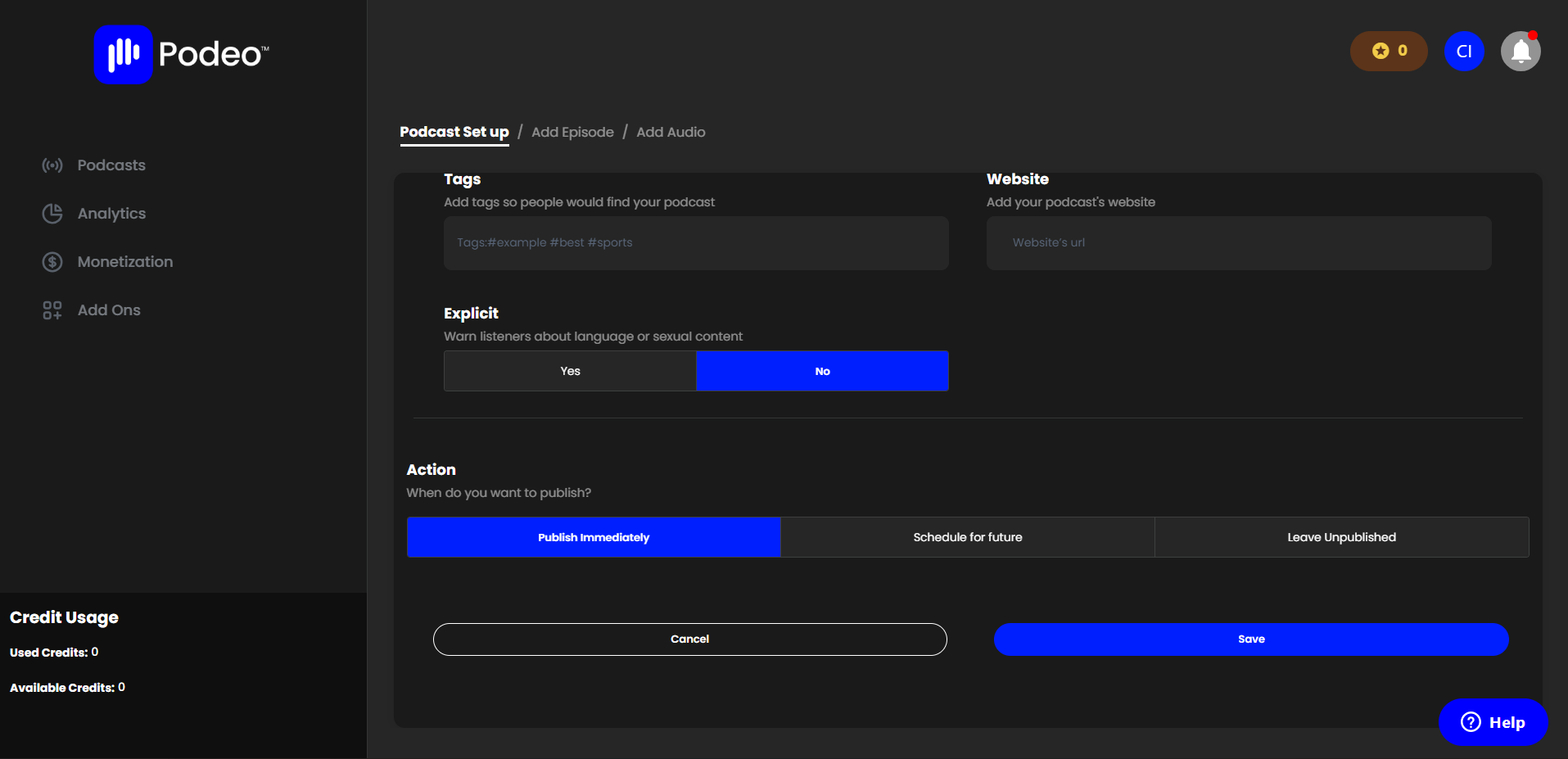
Choose How to Publish
Decide whether you’d like to:Publish immediately,
Schedule for a later date, or
Keep it unpublished until you’re ready.
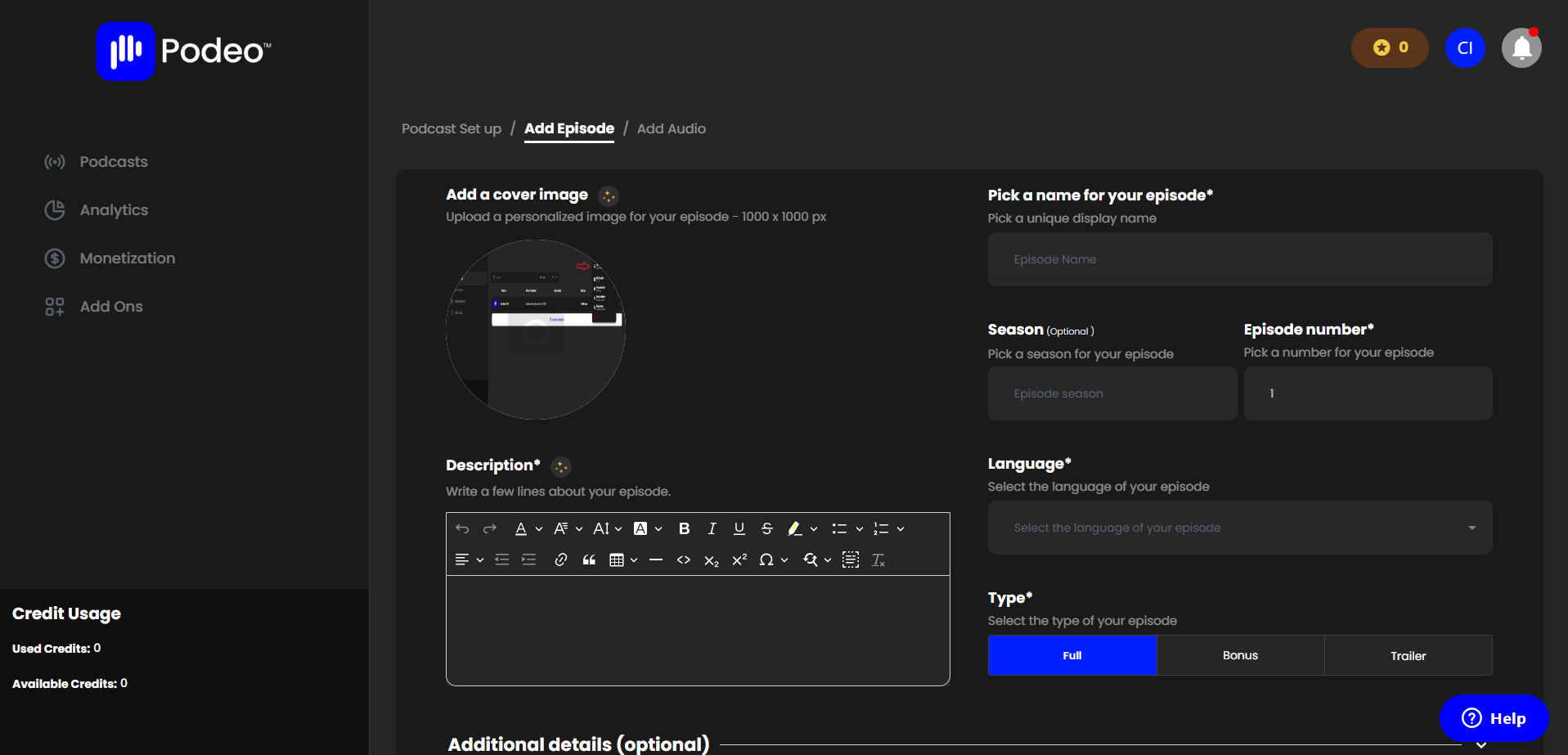
Add Your First Episode
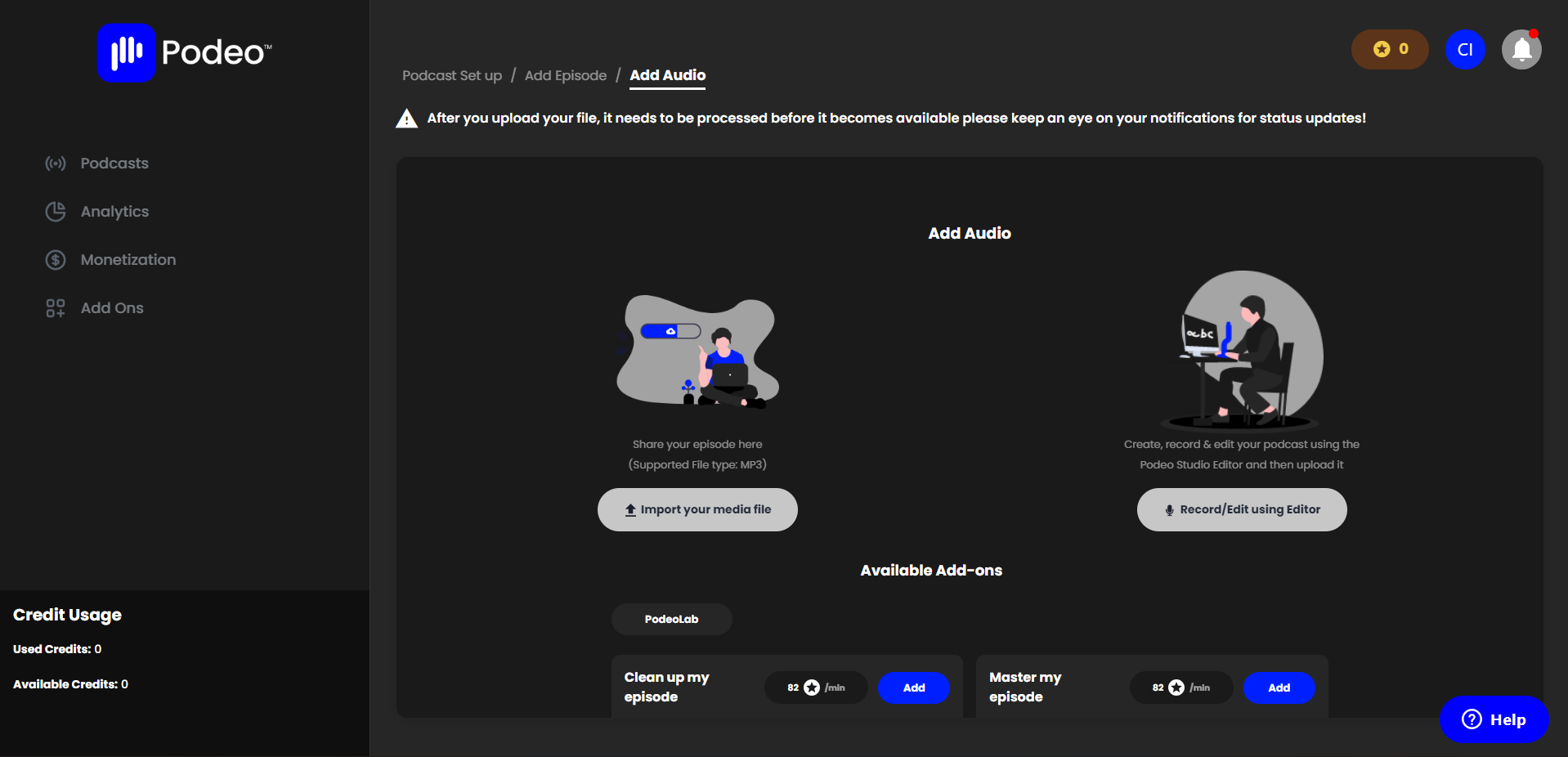
Fill out the episode’s required information, select your publishing action, and save.Upload Your Audio File
Finally, upload your MP3 audio file, click Save, and you’re all set!
Your podcast is now ready to reach listeners across all platforms.
Was this article helpful?
No votes yet