How Can I Manage The App Notifications?
You can manage notifications through the settings page. Here's how to do it:
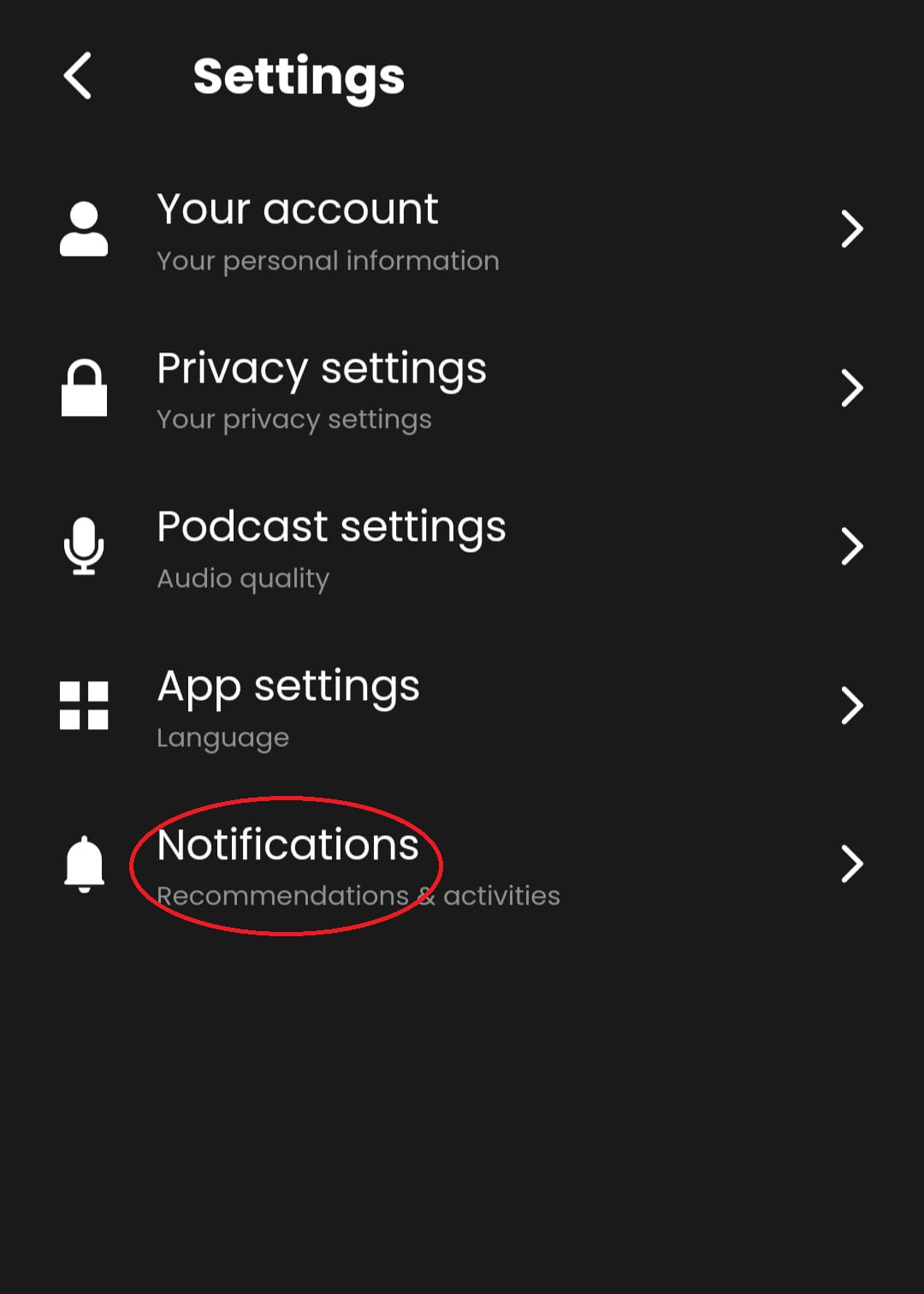
Open the application, access your account menu in the top left corner, and click “Settings.”
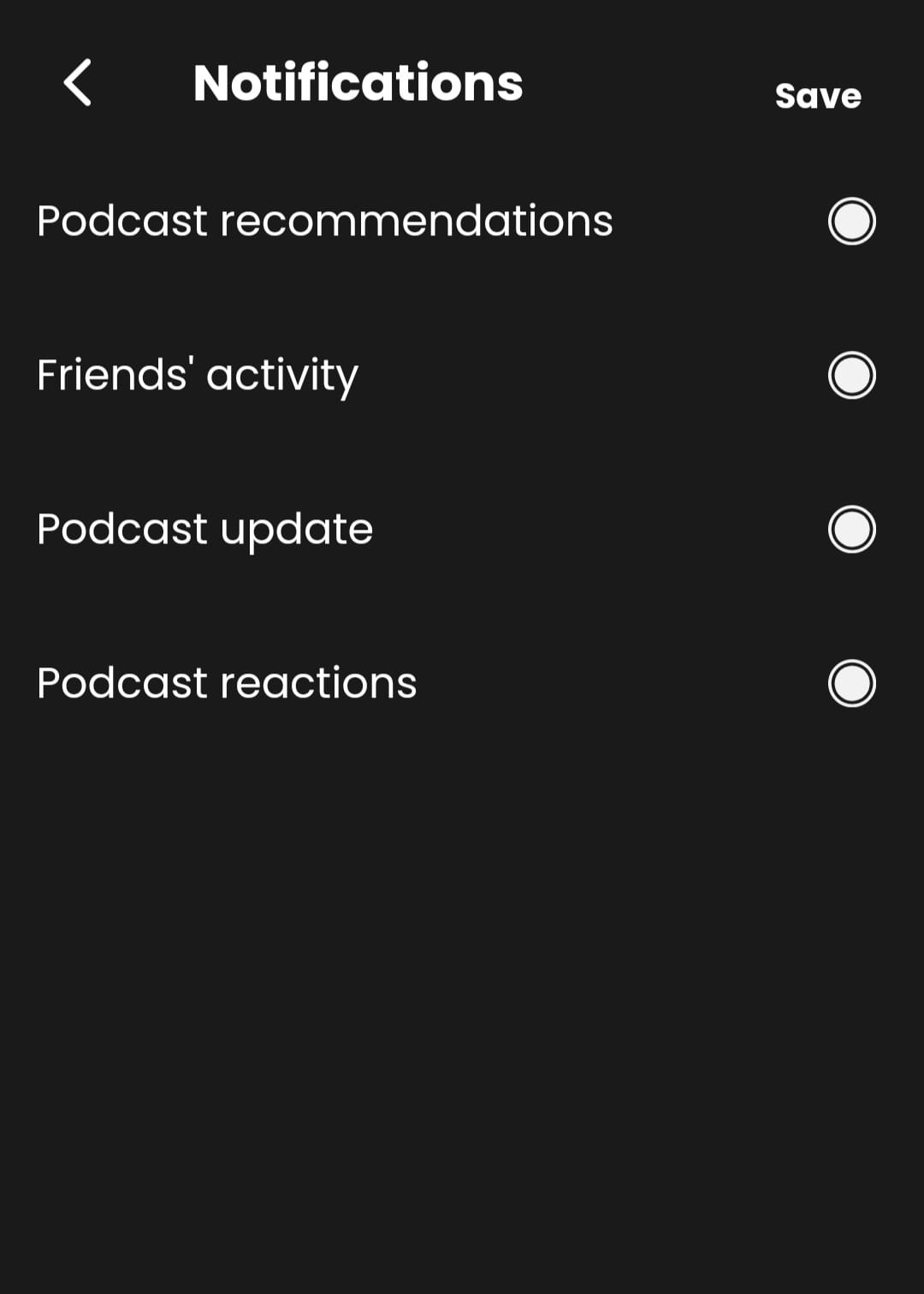
Click on “Notifications” here, and you can turn off or on notifications for various events, such as Podcast recommendations, Friend’s activity, Podcast updates, and Podcast reactions.
Once you have made the desired changes, click “Save” to apply the changes.
By following these steps, you can easily manage your notifications and ensure that you receive only the notifications that are important to you.
Was this article helpful?
No votes yet