How Can I Choose Add-Ons For My Podcast Or Episodes?
Our wide range of Add-ons is conveniently accessible through your Creator Dashboard, making it easier than ever to elevate both your podcast and individual episodes.
You have the flexibility to apply Add-ons either to your entire podcast or to specific episodes with options such as Cover Art Design, AI Artwork Generation, and Automated Episode Descriptions.
Add-ons are also accessible when adding a new podcast or creating a new episode, allowing you to enhance your content right from the start.
Enhancing Your Podcast:
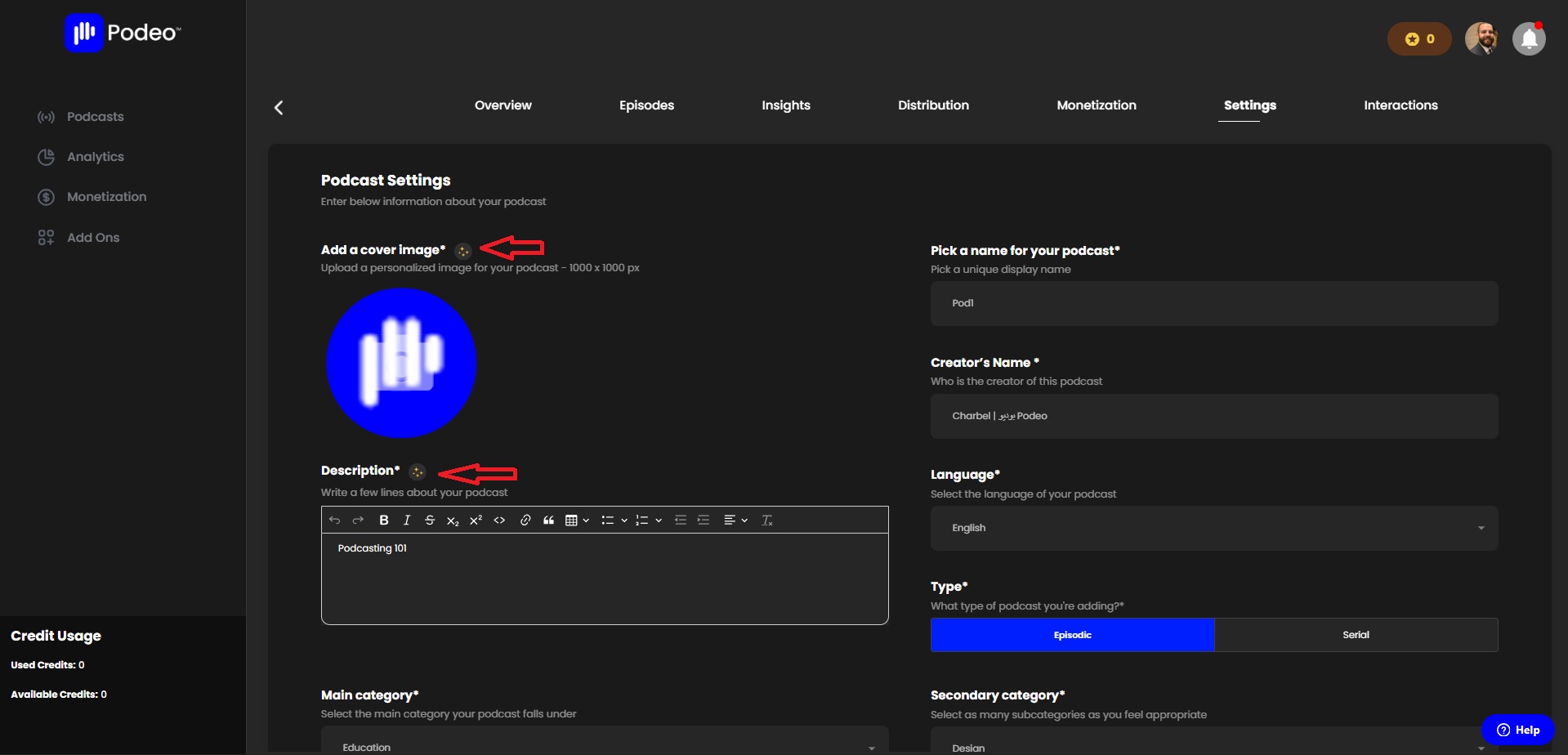
- From your Creator Dashboard, click on your podcast and open its settings.
- Here, you can level up your podcast’s cover image by either requesting a custom design or generating artwork using AI.
- You can also optimize your podcast’s description with our auto-writing tool, designed to instantly create engaging and professional text.
Enhancing Individual Episodes:
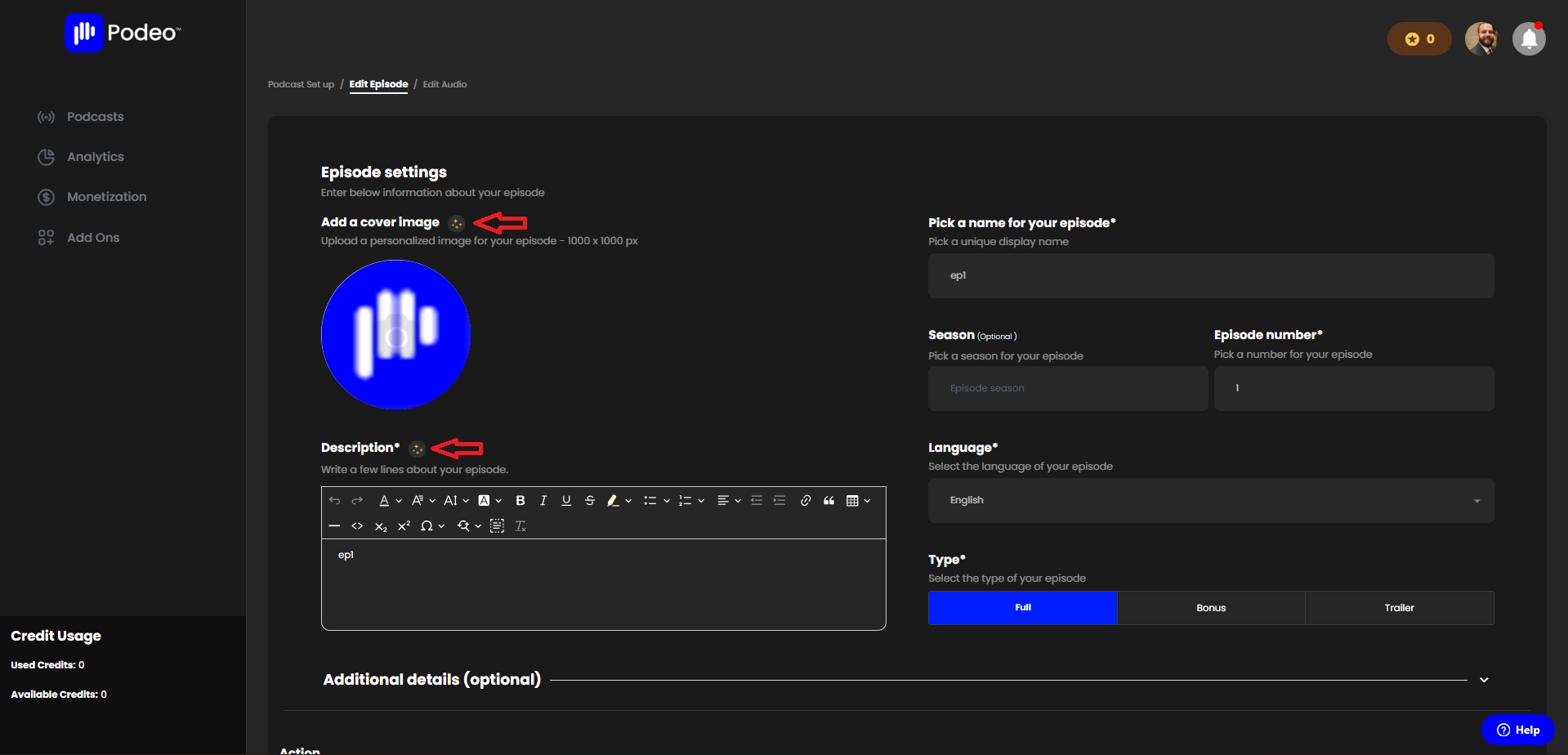
- Access your podcast and navigate to the episode you’d like to enhance.
- Click on the episode settings (three dots) and select “Edit Episode.”
- From here, you can update your episode cover image (custom or AI-generated) and enhance your description with the auto-writing tool.
- To improve your audio, click on “Edit Audio” at the top of your screen:Select the Add-ons you’d like to use. Click “Add”, include your personal notes or instructions, and then select “Process Add-ons and Upload.”
By following these simple steps, you can seamlessly integrate Add-ons into your workflow and create a richer, more professional, and engaging listening experience for your audience.
Was this article helpful?
No votes yet