FAQ
How Can I Access My Purchased Add-Ons?
Accessing your purchased Add-ons is quick and easy through your Creator Dashboard, it is your central hub for all podcast management tools and features.
To access your Add-ons:
- Log in to your dashboard.
- Click on your profile icon in the top-right corner of your screen.
- Select “My Credits.”
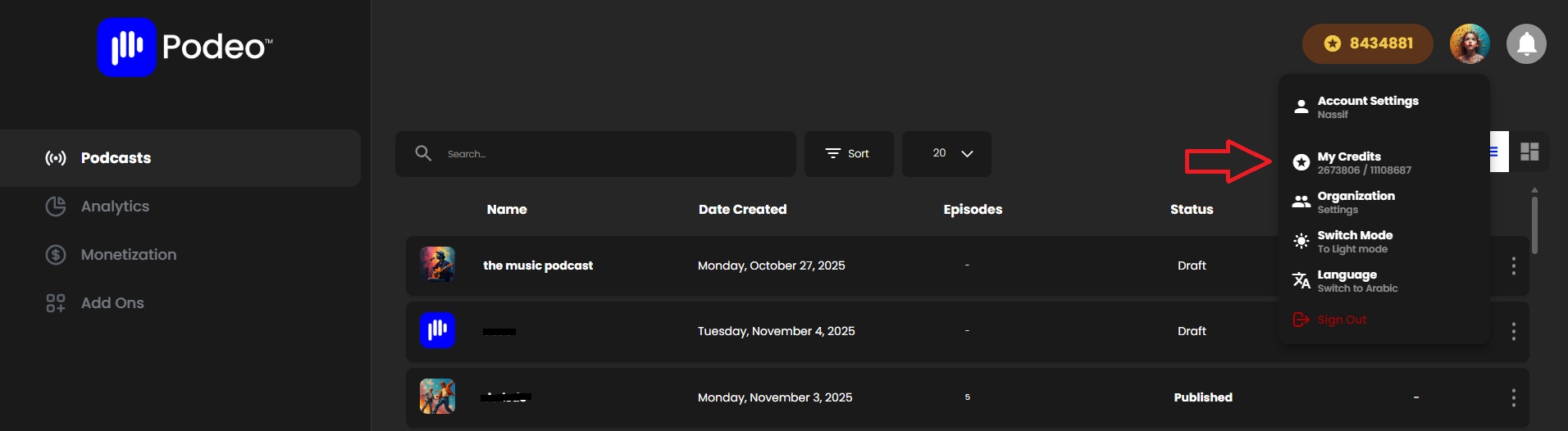
From there, you’ll be able to view your current credit balance and a detailed breakdown of your credit activity, including:
- The type of credits used
- The Add-ons you’ve purchased or activated
- The amount of credits spent on each Add-on
- The date each Add-on was used
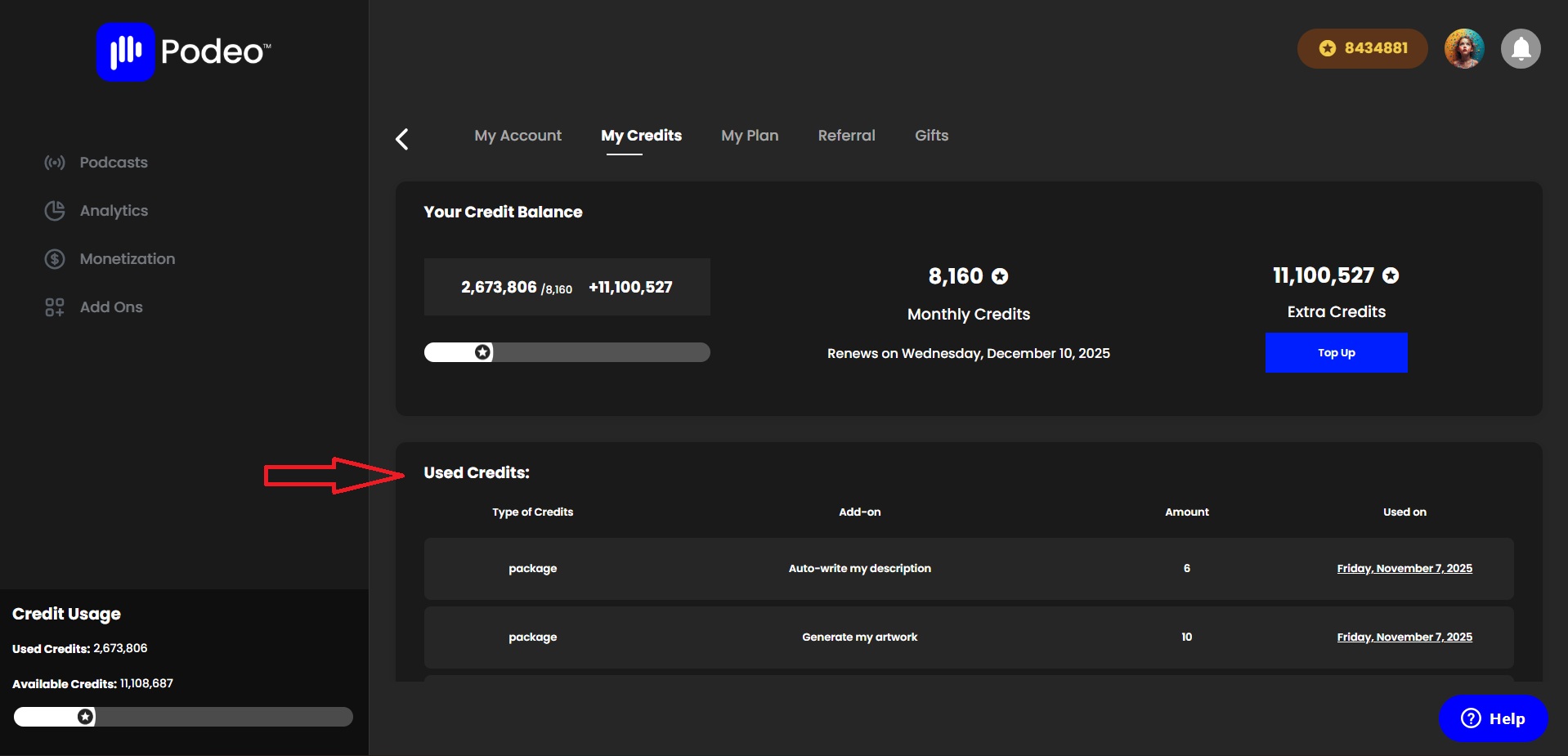
This section helps you easily track your purchases, and keep full control over your Add-on activities.
You can also purchase additional credits directly from this section whenever needed by clicking on “Top Up”
Was this article helpful?
No votes yet